
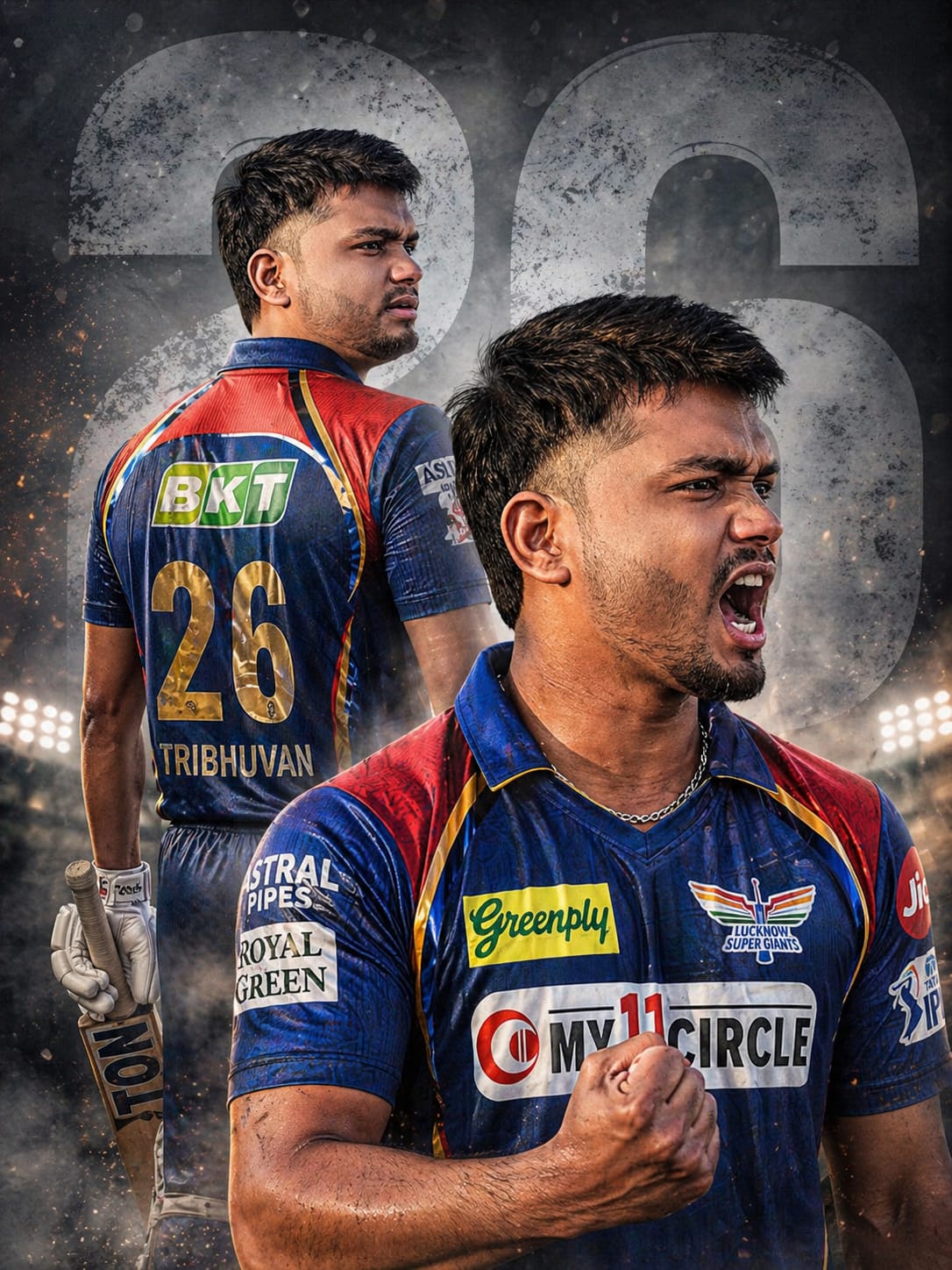
The Lucknow Super Giants (LSG) are ready to dominate IPL 2026, and it’s time for you to join the squad in style! This specific AI prompt is designed to create a high-impact, dual-pose cinematic poster that captures the raw intensity of a cricket match. Featuring a “Giant Rising” aesthetic with royal red, blue, and gold accents, this vibe is all about power and victory.
What makes this prompt special is the dual-pose composition: you get a mysterious back view showing off your jersey name and number, combined with an aggressive, fierce celebration in the foreground. With 8K resolution, realistic sweat textures, and dramatic stadium lighting, your AI-generated photo will look like an official team billboard. Let’s get you into that LSG kit!
The Premium Copy Card
Read more: Viral LSG girl image create Gemini AI prompt: Lucknow super Giants
Pro-Tips for Customization
- अपना नाम लिखें: Prompt mein jahan
"26"likha hai, wahan apna favorite jersey number ya saal likh sakte hain. Agar aapko back par naam chahiye, toh text mein “labeled with name YOURNAME” add karein. - Colors Change Karein: LSG ki classic theme ke liye royal blue aur cyan use hota hai, lekin aap “electric cyan accents” add karke ise aur modern bana sakte hain.
- Face Swap: Bing Creator par generate karne ke baad, aap Remaker AI ya kisi face-swap tool ka use karke apna real face image par laga sakte hain.
- Background: Agar aapko stadium ka background chahiye, toh “light-grey backdrop” ko “blurred night stadium background.” se replace kar dein.
Step-by-Step Guide: How to Use
- Image Creator: open Google Gemini AI.
- Copy Prompt: Hamari website se unlocked prompt ko copy karen.
- Paste & Edit: Copy kiya gaya text input box mein paste karein aur agar apna naam ya number change karna hai toh edit karein.
- Click Generate: Par click karein “Create” button aur 10-15 seconds ka wait karein.
- Save in HD: Jaise hi 4 images generate ho jayein, apni favorite image par click karke use high-quality mein download karein.