
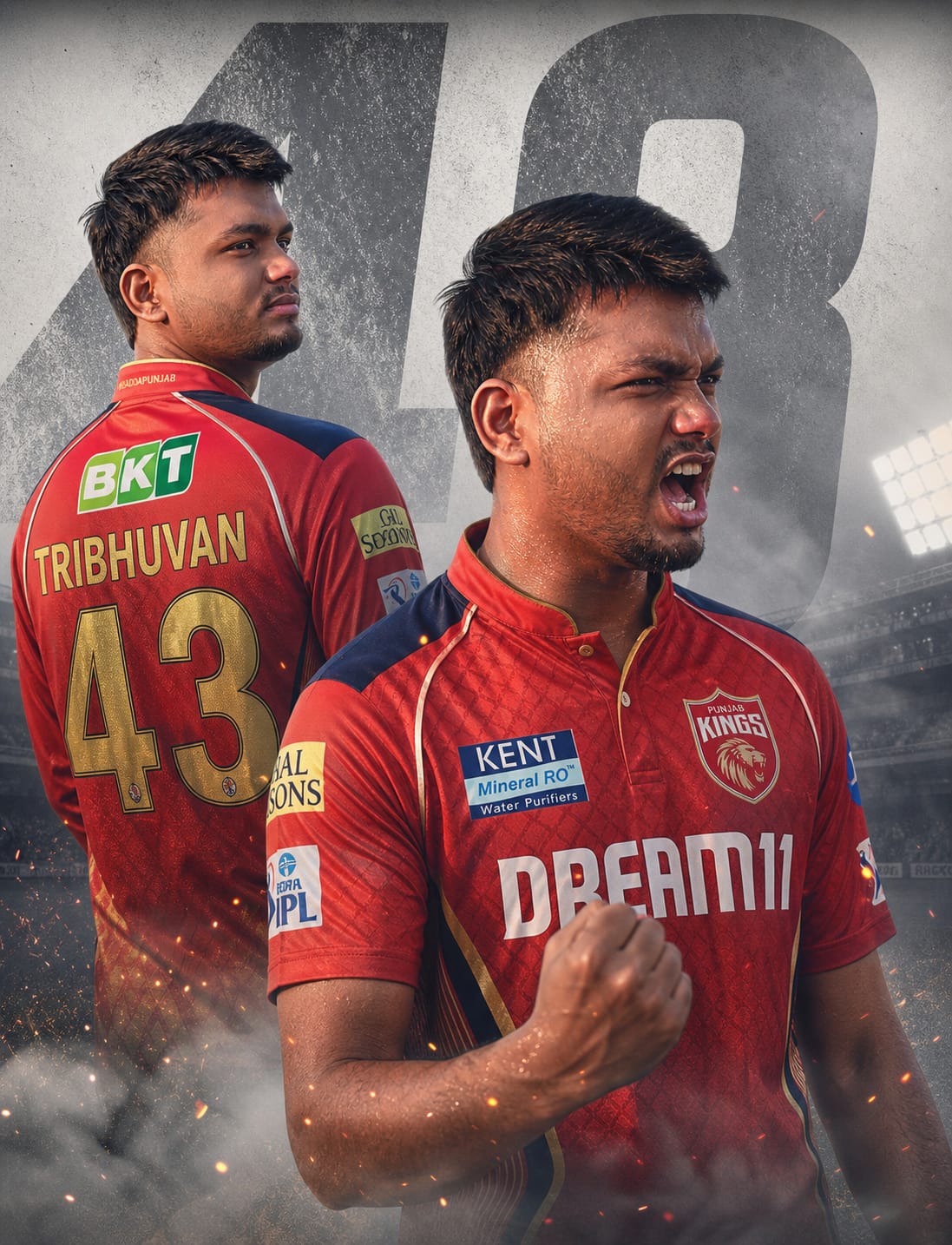
Are you ready to represent the Sadda Punjab spirit on social media? As the cricket fever takes over, ordinary fan photos just don’t cut it anymore. This Punjab Kings (PBKS) Dual-Pose AI Prompt is meticulously crafted to transform your digital presence into a professional sports brand.
What sets this prompt apart is the dual-intensity composition. It features a sharp, mysterious back view of the iconic royal red jersey—customized with your specific name and number—seamlessly blended with a foreground “victory roar” pose. With ultra-realistic 8K textures, cinematic smoke effects, and dramatic stadium lighting, your AI-generated avatar will look like a high-budget team announcement poster. Let’s get you ready to roar!
The Premium Copy Card
Read more: Viral PBKS create girl images Gemini AI Prompt: Punjab Kings
Pro-Tips Section (Hinglish)
- Apna Naam Likhein: Prompt mein jahan “TRIBHUVAN” likha hai, wahan apna naam replace kar dein taaki jersey par aapka naam print ho kar aaye.
- Jersey Number Change: Aap “43” ki jagah apna lucky number ya favorite player ka number (jaise 01 for KL Rahul or 18 for Kohli fan kit) add kar sakte hain.
- Facial Details: Agar aap exact look chahte hain, toh “young man” ki jagah “bearded Indian man” ya specific hairstyle mention karein.
- Team Colors: PBKS ki vibe ke liye red aur silver/deep blue ka combination best hai, par aap background color ko “textured dark gray” bhi kar sakte hain aggressive look ke liye.
Step-by-Step Guide (Hinglish)
- Copy Prompt: Sabse pehle upar diye gaye card se timer khatam hone ka wait karein aur prompt ko copy karein.
- Creators: Google Gemini, ChatGPT.
- Paste & Edit: Copy kiya hua prompt paste karein aur apna name aur number modify karein.
- Generate: “Create” button par click karein aur 10-15 seconds ka wait karein.
- Download & Share: Jo image best lage uspar click karke high quality mein save karein aur apne Instagram/WhatsApp status par laga dein!