
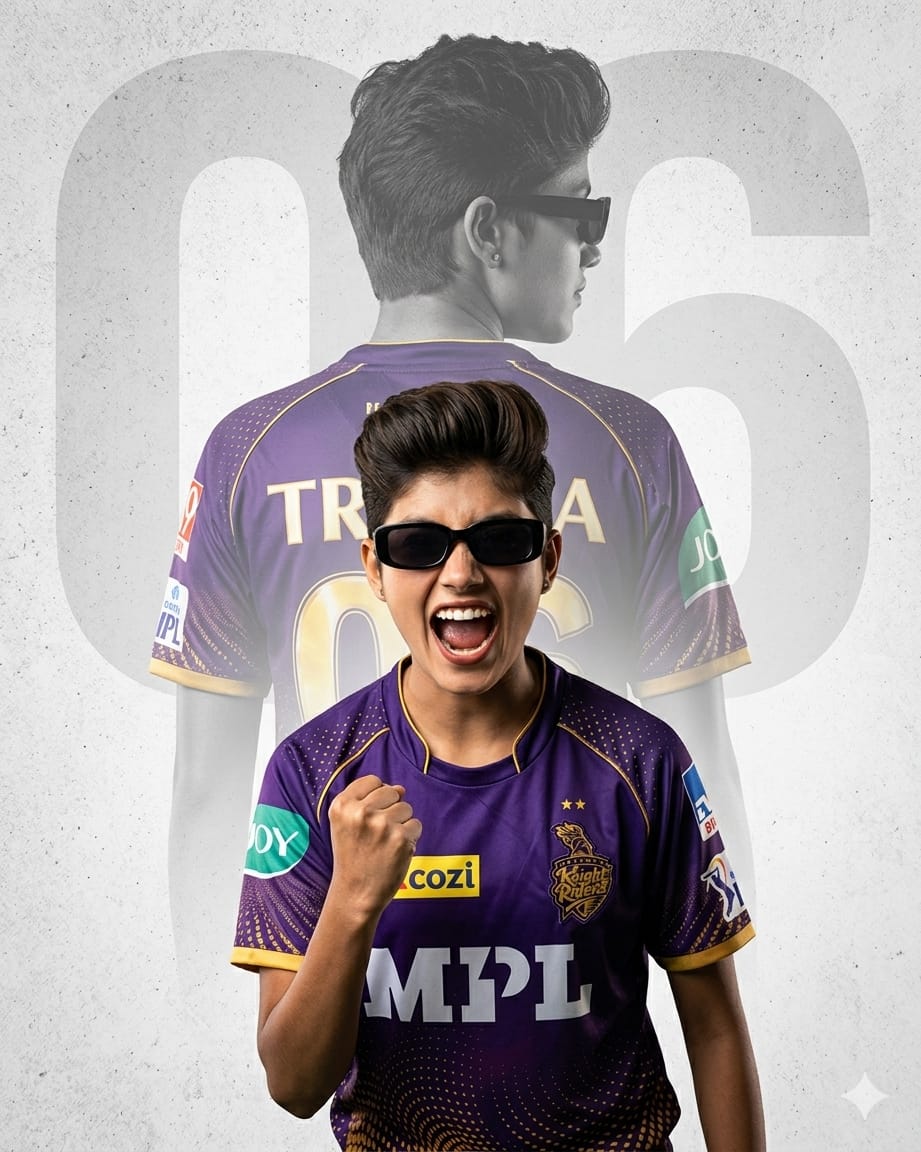
Kolkata Knight Riders (KKR) fans are known for their massive energy and unconditional love for the purple and gold army. To match that elite level of passion, standard photo edits just won’t cut it anymore. It’s time to level up your fandom with a professional-grade, cinematic sports poster. This premium AI image prompt uses an advanced double exposure effect to blend a fierce, triumphant fan celebration in the foreground with a faded backdrop silhouette that highlights a custom jersey name and number.
Complete with a stylish quiff haircut, trendy black sunglasses, and authentic KKR kit branding, this design brings out a high-fashion athletic aesthetic. It’s the absolute perfect prompt for creating viral social media profile pictures, WhatsApp statuses, or high-resolution posters to print for your room.
The Premium Copy Card
Read more: Create KKR Jersey AI Gemini prompt: Kolkata Knight Riders
Pro-Tips to Customize Your AI Prompt
Is double exposure prompt ko aap apne hisab se bohot aasani se customize kar sakte hain. Kuch shaandar changes jo aap kar sakte hain:
- Apna Name aur Number Add Karein: Prompt me jahan
'Trisha'aur'06'likha hai, wahan single quotes ke andar apna naam aur lucky jersey number daal dein. Jaise ki: “displaying the name ‘Rohan’ and the number ’77.'” Background watermark number ko bhi badalna mat bhoolna! - Gender aur Hairstyle Modify Karein: Agar aap boy character create karna chahte hain, toh lines badal kar “A high-quality sports poster featuring a young South Asian man with a sharp textured fade haircut and light beard stubble” likh sakte hain.
- Team aur Jersey Switch Karein: Agar aap kisi aur IPL team ko support karna chahte hain, toh easily details change karein. Jaise: “Wearing a CHENNAI SUPER KINGS (CSK) cricket jersey in VIBRANT YELLOW… ”.
- Background Vibe Change Karein: Light gray, clean background ke badle agar aapko dark studio neon look chahiye, toh aap likh sakte hain: “dark smoky background illuminated with sharp purple and gold neon rim lights.”
Step-by-Step Guide: How to Generate This Image
AI image generators par accurate double exposure look ko flawlessly kaise create karein, iske simple steps dekhein:
For Bing Image Creator (Best Text Output)
- Tool Open Karein: Sabse pehle Microsoft Gemini and ChatGPT or Microsoft Designer par log in karein.
- Prompt Paste Karein: Humare copy card se text unlock karke dashboard par paste karein.
- Quotes Ka Dhyan Rakhein: Bing text recognition me best hai. Text rendering ko clear rakhne ke liye apne custom name aur jersey number ko single quotes (
'Ananya','10') me hi wrapped rehne dein. - Generate Par Click Karein: ‘Create’ button dabayein. Double exposure images mein layers mix hoti hain, isliye agar first attempt me face aur back silhouette clear na aaye, toh 1-2 baar ‘Create’ fir se press karein taaki perfect variation mil sake.
For Midjourney Users (V6 Engine)
- Command Start Karein: Apne Discord server par jaakar
/imagine promptbox open karein. - Aspect Ratio Add Karein: Complete prompt text copy-paste karne ke baad text ke end me smartphone wallpaper format ke liye
--ar 9:16ya poster resolution ke liye--ar 3:4zaroor lagayein. - Cinematic Tone Filter: Poster mein zyada intense details aur professional realistic lighting laane ke liye configuration parameters ke baad
--style rawaur--stylize 250ka use karein.