
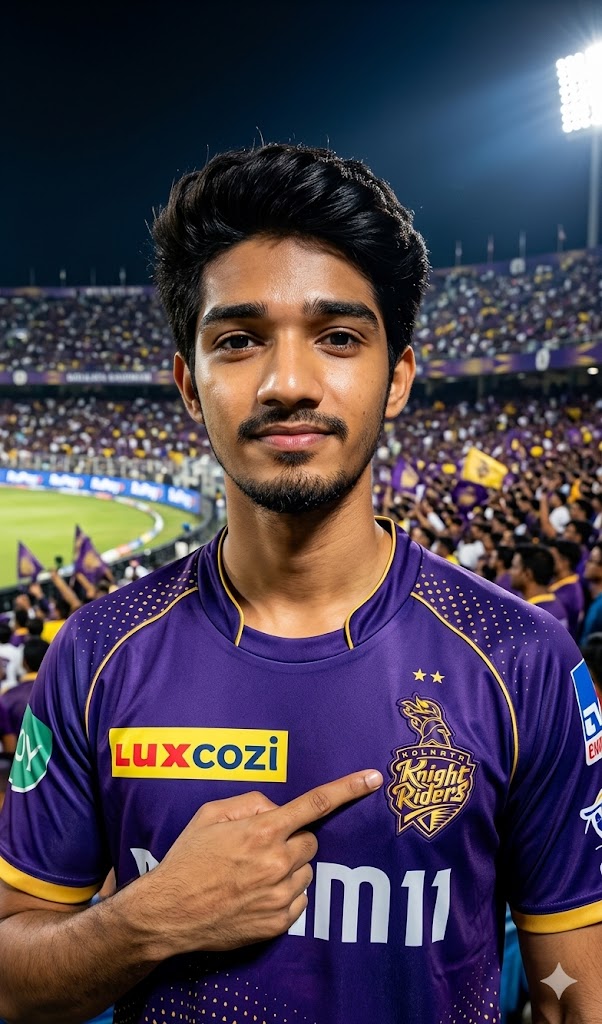
The Indian Premier League (IPL) isn’t just a cricket tournament; it’s an emotion. And when it comes to the Kolkata Knight Riders (KKR), the passion of the Ami KKR clan is absolutely unmatched! Whether you want to upgrade your social media profile picture or create viral trending reels, having a personalized AI avatar wearing the iconic purple and gold jersey is the ultimate flex.
This premium AI image prompt is designed to generate an ultra-realistic, high-intensity portrait of a dedicated KKR fan right in the heart of a packed Eden Gardens-style stadium. With dramatic cinematic lighting, rich textures, and deep contrast, your AI-generated image will look like a professional sports magazine cover. Let’s get your fandom noticed!
The Premium Copy Card
Read more: Create KKR Fan AI Image Prompt: Kolkata Knight Riders
Pro-Tips Section
Agar aap is prompt ko thoda aur customize karna chahte hain taaki image bilkul unique lage, toh ye tips follow karein:
- Add Your Name & Jersey Number: Prompt ke andar aap badlav karke likh sakte hain, “…wearing KKR jersey with the name ‘YOUR_NAME’ and jersey number ‘7’ boldly printed on the back/front.”
- Change Gender or Age: Agar aap female avatar chahte hain, toh simply “Indian male fan” ko “Indian female fan” se replace karein. Aap age bhi specify kar sakte hain (e.g., “a 22-year-old Indian male fan”).
- Change Facial Expressions: Expression ko proud se badalkar energetic ya celebratory bhi kiya ja sakta hai. Just add: “…with an ecstatic, celebrating expression, cheering out loud.”
- Adjust Smoke & VFX Elements: Extra swag ke liye aap prompt ke end me add kar sakte hain: “…with dramatic purple and gold smoke flares exploding in the background.”
Step-by-Step Guide
AI Image generate karna bohot hi aasan hai! Bas niche diye gaye steps ko follow karein:
- Prompt Copy Karein: Sabse pehle upar diye gaye custom premium card se tool ko unlock hone dein aur Copy Prompt par click karein.
- Open AI Tools: Google Gemini and ChatGPT.
- Paste & Customize: Text box ke andar copied prompt ko paste karein. Agar aapko apna naam ya koi specific feature add karna hai (jaise maine Pro-Tips me bataya), toh thoda edit kar lein.
- Click Create: “Create” ya “Generate” button par click karein aur 10-15 seconds ka wait karein.
- Download in HD: AI aapko 4 alag variations generate karke dega. Jo image sabse best lage, uspar click karein aur download button dabakar high resolution me save karein!
2 thoughts on “Create KKR Jersey AI Gemini prompt: Kolkata Knight Riders”