
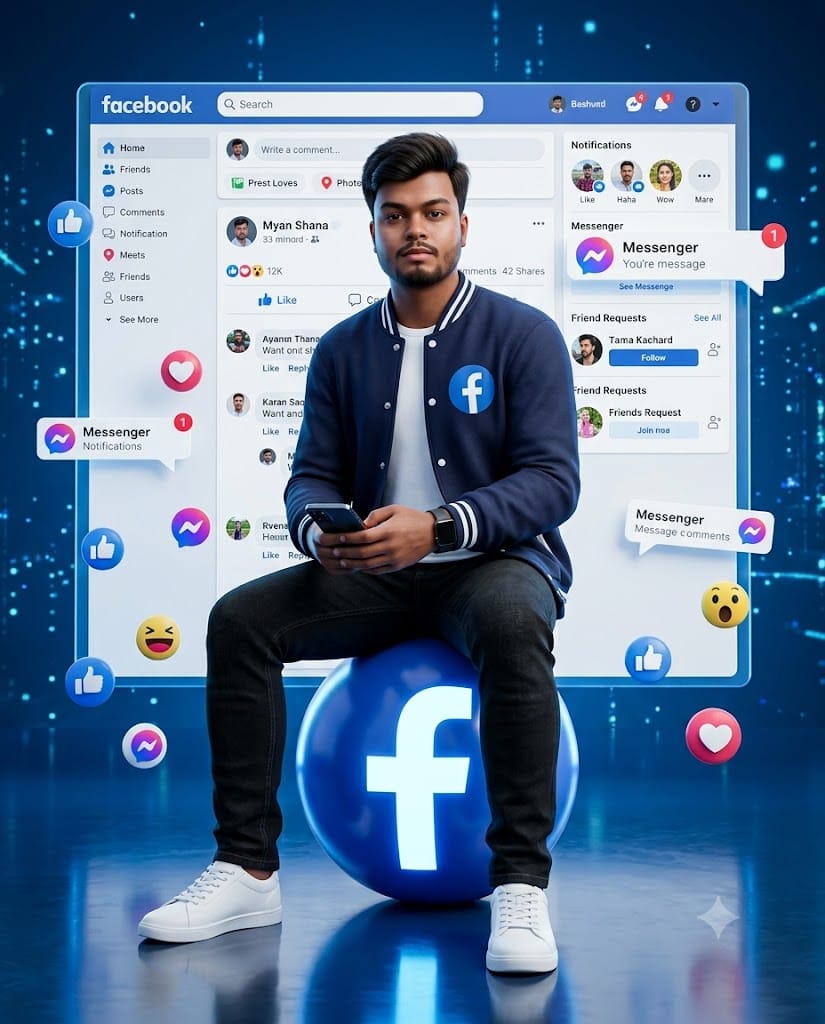
In the rapidly evolving world of social media content creation, standing out with a unique profile aesthetic is key to driving engagement. The latest visual trend captivating feeds across platforms involves high-fidelity 3D digital avatars set against dynamic, glowing brand interfaces. This viral styling combines sleek modern fashion with rich, multi-dimensional lighting to produce eye-catching profile pictures and stories.
This specific prompt focuses on a stylish tech-forward aesthetic featuring a navy blue varsity jacket, classic denim, and an interactive 3D Facebook environment. Powered by Unreal Engine 5 rendering concepts, holographic particles, and vibrant blue neon accents, it produces crisp, ultra-realistic 8K artwork every single time. Copy the code below, apply your personal adjustments, and create your custom avatar in seconds!
The Premium Copy Card
Use the uploaded image as the exact face reference. Preserve 100% facial identity. Create a highly detailed 3D digital artwork of the same young Indian man sitting confidently on a glowing blue Facebook logo sphere. He is wearing a navy blue varsity jacket over a white t-shirt, black jeans, white sneakers, and a black smartwatch while holding a smartphone. Behind him is a giant floating Facebook interface displaying posts, reactions, comments, messenger notifications, and friend requests. Floating Facebook Like, Love, Haha, Wow, Care reactions, Messenger icons, notification bubbles, and social media elements surround him. Futuristic blue cyber background, holographic particles, cinematic lighting, reflective floor, HDR, ultra-realistic textures, premium digital art, Unreal Engine 5, ArtStation quality, 8K, vertical 4:5"
Read more: Trending RCB IPL Jersey prompt: Virat Kohli style
Pro-Tips: How to Customize This Prompt
Agar aap is output ko aur realistic ya customizable banana chahte hain, toh in small modifications ko zaroor try karein:
- Name & Profile Personalization: Add a background me floating Facebook profile interface par apna naam dikhane ke liye: “with profile name ‘Your Name’ clearly written on top of the interface.”
- Outfit Customization: Navy blue varsity jacket ki jagah aap apna dynamic style mention kar sakte hain—jaise “wearing a sleek black leather jacket,” “a royal blue hoodie with white stripes,” ya “a crisp formal shirt.”
- Elements & Reactions: Agar aapko specific reaction symbols zyada emphasize karne hain, toh change karein “surrounded primarily by glowing 3D Heart (Love) and Care reaction emojis.”
- Background Vibe: Futuristic blue cyber lighting ki jagah “neon cyan and royal purple dual-tone lighting” add karke color glow control kar sakte hain.
Step-by-Step Guide: How to Generate Your Image
Is prompt ko easily high quality me generate karne ke liye ye steps follow karein:
Using Bing Image Creator / Microsoft Copilot (Free)
- Open Tool: Search karein bing.com/create ya Microsoft Copilot app open karein.
- Upload Reference Photo: Image upload icon par click karke apni face reference photo attach karein (koshish karein clear front face picture ho).
- Paste Prompt: Copy the card’s unlocked prompt and paste it, and if you want to add a customized name/jacket color, then make edits.
- Generate: Create button par click karein, 10-15 seconds wait karein aur premium 8K 3D avatar download kar lein.
Using Midjourney v6
- Upload Face Photo: Midjourney Discord channel mein apni face image send karein aur uska image link copy karein.
- Enter Prompt: Type
/imagine prompt: [IMAGE_URL_HERE]aur fir hamara detailed prompt paste kar dein. - Set Ratio: Prompt ke bilkul end me
--ar 4:5 --v 6.0add karna mat bhooliye taaki perfectly balanced vertical format mile. - Render: Images generate hone ke baad favorite option choose karke high resolution me download karein.