
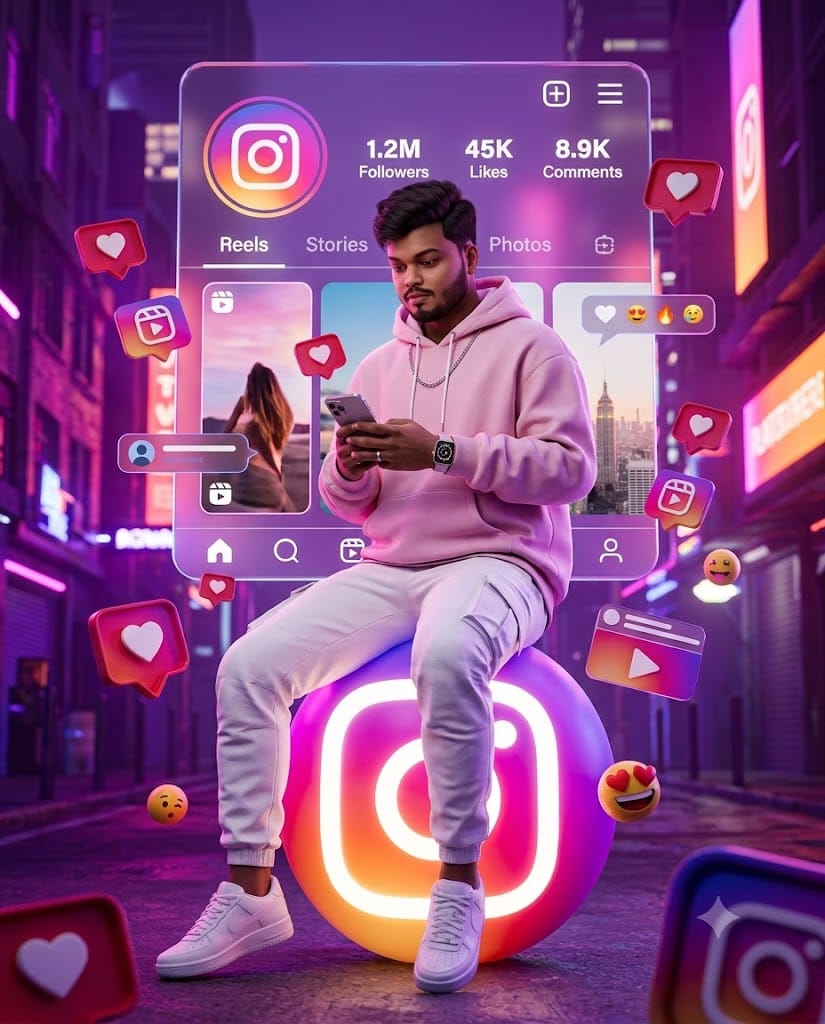
If you have been scrolling through Instagram or viral AI reels lately, you’ve likely seen those stunning 3D digital avatars sitting effortlessly on glowing social media logos. They look hyper-realistic, high-fashion, and undeniably cool. This viral style is currently dominating social media trends, and creating one for yourself is easier than you think!
This specific prompt focuses on capturing a modern, streetwear vibe featuring an oversized pastel pink hoodie, white cargo pants, and a glowing neon Instagram UI background. Designed with Unreal Engine 5 aesthetic lighting and ultra-realistic textures, it delivers a masterpiece 8K image every single time. Unlock the prompt below, swap in your own details, and get ready to transform your profile picture!
The Premium Copy Card
Use the uploaded image as the exact face reference. Preserve 100% of the identical facial structure, hairstyle, beard, skin tone, eyes, eyebrows, nose, lips, jawline, and overall identity without any modification. Create a premium 3D digital artwork of the same young Indian man sitting casually on a glowing Instagram logo sphere. He is wearing a stylish oversized pastel pink hoodie ,white cargo pants, white sneakers, a silver chain, and a luxury smartwatch while holding a smartphone. Behind him is a giant floating Instagram profile interface with Reels, Stories, Likes, Comments, and Followers. Surround him with glowing Instagram icons, heart notifications, reels symbols, likes, comments, emojis, and floating UI elements. Purple-pink-orange neon lighting, cyberpunk background, cinematic glow, volumetric lighting, ultra-realistic textures, Unreal Engine 5, Octane Render, HDR, masterpiece quality, 8K, vertical 4:5"
Read more: Create stylish girl AI prompt Double-Exposure Fashion AI Prompt: Create Magazine-Cover Portraits
Pro-Tips: How to Customize This Prompt
Agar aap apni photo ko bilkul uniquely represent karna chahte ho, toh prompt me ye simple changes kar sakte ho:
- Name & Social Profile: Prompt ke andar aap apna actual Instagram Username specify kar sakte ho. Bas text add karo: “with username @yourname clearly visible on the background profile card.”
- Outfit & Styling: Agar aapko pastel pink hoodie nahi chahiye, toh replace it with your style preference—like “oversized black streetwear jacket,” “red IPL team jersey,” or “denim jacket with chain accessories.”
- Social Media Platform: Promptly, the Instagram logo was chosen. Aap “glowing Instagram logo sphere” ko “glowing Snapchat ghost logo” ya “glowing YouTube button” se replace karke alternate platform avatars generate kar sakte ho.
- Lighting & Vibe: Instead of a neon theme, you can define “golden hour sunset lighting,” “cyberpunk green matrix style,” or “clean studio white background.”
Step-by-Step Guide: How to Generate Your Image
Is prompt ko generate karna bilkul simple aur free hai. Follow these steps:
Using Bing Image Creator / Microsoft Copilot (Free)
- Open Tool: Go to bing.com/create or open the Microsoft Copilot app on your phone.
- Upload Reference Image: Click on the image upload icon and select a high-quality, front-facing photo of yourself.
- Paste the Prompt: Copy the prompt from our unlocked copy card above and paste it into the description box.
- Custom Details: Change the clothing color or username as needed.
- Hit Create: Click Create or Generate, wait 10-15 seconds, and download your high-resolution 3D digital photo!
Using Midjourney v6
- Upload Face Reference: Discord mein apni clear image attach karke send karein. Image URL ko copy kar lijiye.
- Type Command: Type
/imagine prompt: [PASTE_IMAGE_URL_HERE]and paste the prompt right after the URL. - Set Parameters: Prompt ke end me
--ar 4:5 --v 6.0add karein for ideal Instagram vertical dimensions. - Generate: Press Enter, pick your favorite variation (U1-U4), and upscale it to 8K.