
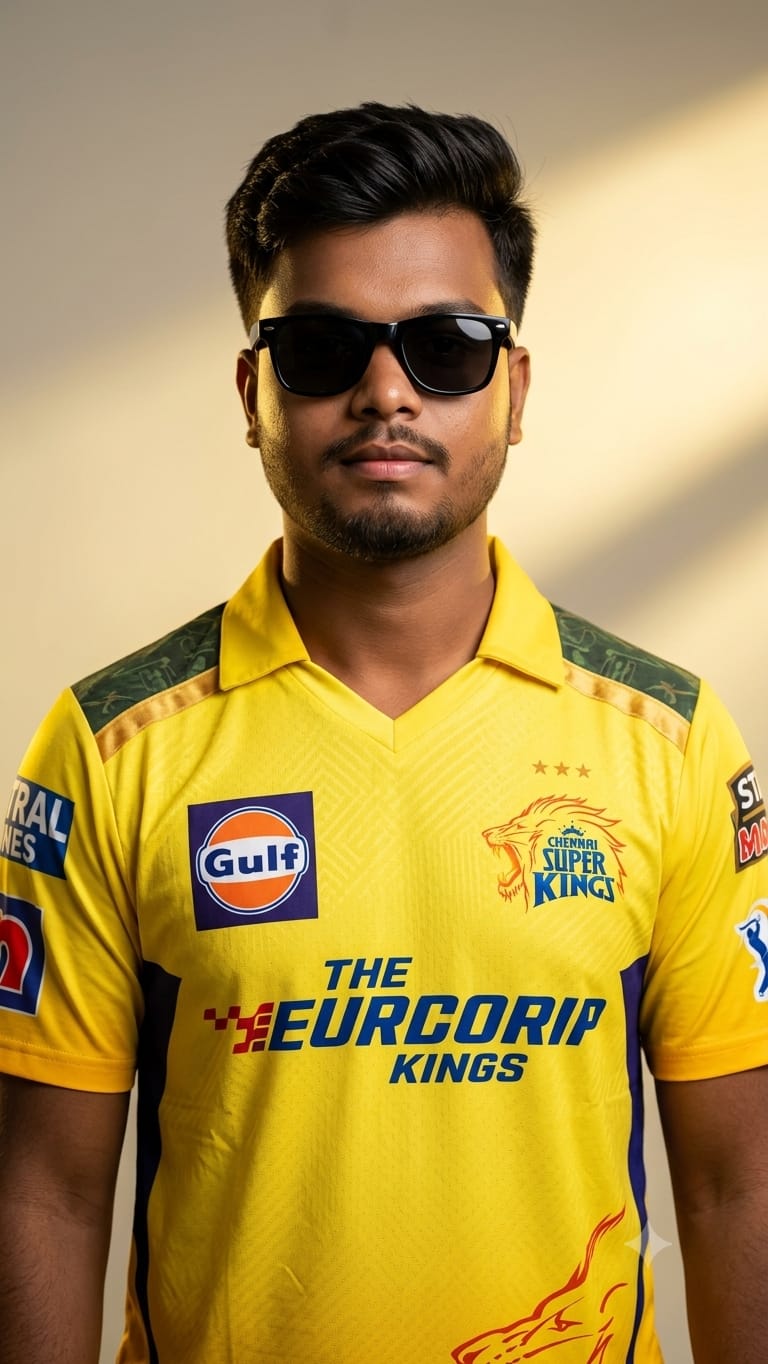
Are you ready to show your ultimate support for the Chennai Super Kings? This premium AI image prompt lets you generate a high-end, stylish studio portrait of a young man rocking the iconic yellow CSK jersey. Draped in soft, cinematic golden lighting that perfectly matches the team’s signature vibe, this prompt creates images that look like an official luxury sports branding poster. Complete with sleek sunglasses and sharp, professional-grade depth of field, it’s the absolute best way to upgrade your Instagram, WhatsApp, or Facebook profile pictures during the cricket season. Let’s get your viral fan art ready!
The Premium Copy Card
Sports & Fan Art
Studio Poster
Read more: Create CSK AI image prompt with Gemini and ChatGPT.
Pro-Tips Section (Hinglish)
- Add Your Name & Jersey Number: Agar aap chahte hain ki jersey ke piche ya aage aapka naam aur manpasand number ho, toh prompt mein yeh add karein: “…with the name ‘ROHIT’ and jersey number ‘7’ boldly printed on it…”
- Change Sunglasses Style: Sunglasses ka look badalne ke liye aap “black sunglasses” ki jagah “yellow-tinted sporty sunglasses” ya “luxury aviator glasses” use kar sakte hain.
- Background Customization: Clean background ki jagah thoda stadium ka feel dene ke liye aap likh sakte hain “…with a blurred, crowded MA Chidambaram Chepauk stadium background…”
- Hairstyle and Looks: Apne physical appearance ke mutabik badlaav karne ke liye “young man with a stylish fade haircut and light beard” jaisa detail jod dein.
Step-by-Step Guide (Hinglish)
Method 1: Using Bing Image Creator (Free & Easy)
- Sabse pehle upar diye gaye custom card se text ko Copy karein.
- Google Gemini and chatGPT.
- Box ke andar prompt paste karein aur agar koi customization (naam ya number) karni ho toh badlein.
- Create button par click karein. AI aapko 4 alag-alag high-quality professional options generate karke de dega. Aap Remaker AI ya kisi bhi face-swap tool se apna real face bhi lagana chahein toh laga sakte hain!
Method 2: Using Midjourney (For Ultra-Realistic Look)
- Discord par jayein aur Midjourney bot ko access karein.
- Chat prompt box mein
/imaginetype karein aur apna copied prompt enter karein. - Image ki composition ko proper square ya profile size dene ke liye prompt ke end mein
--ar 1:1ya--ar 4:5lagayein. - Agar aapko face high accuracy ke sath match karna hai, toh apni ek clear selfie pehle upload karein, uska link copy karke prompt ke start mein dalen, aur fir baaki prompt text likhein.
1 thought on “Viral CSK Fan AI Photo Editing: Stylish Chennai Super Kings Jersey Prompt”