
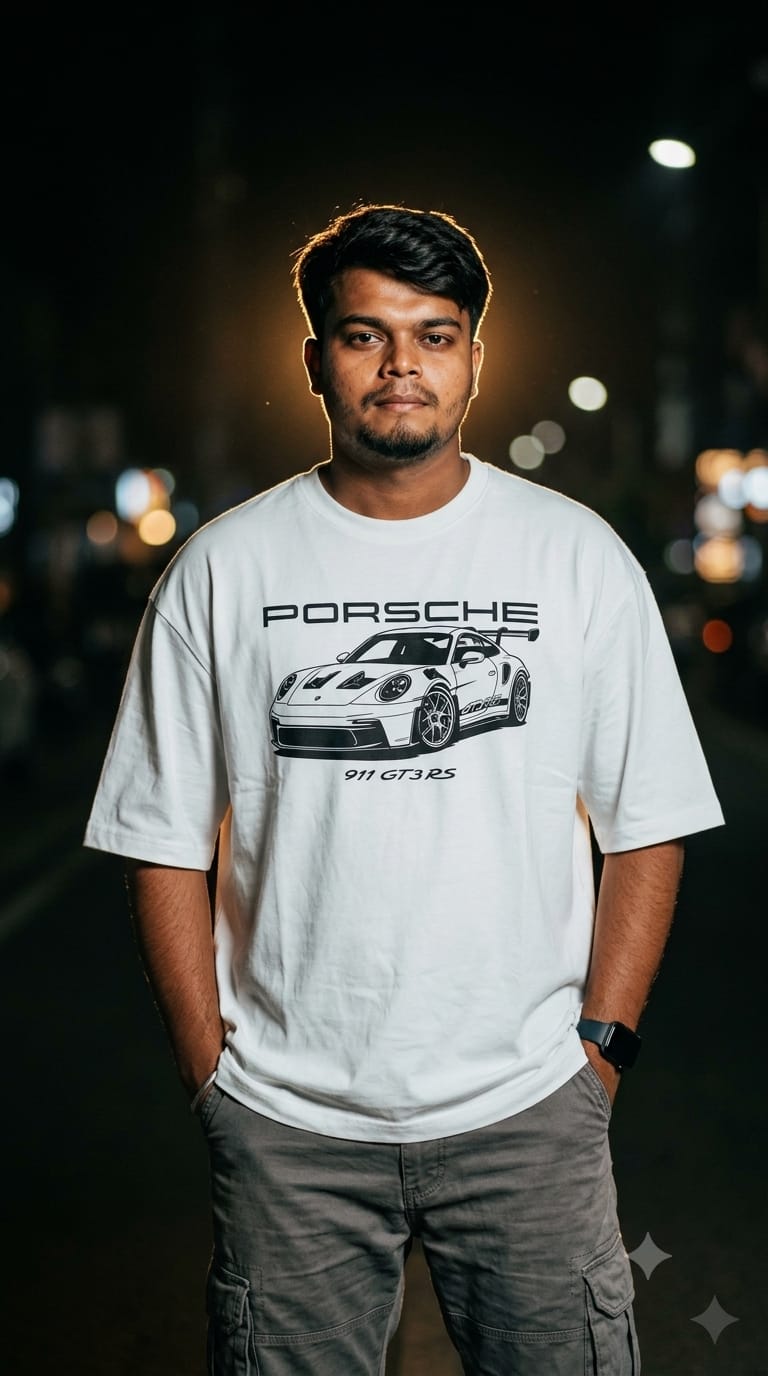
Streetwear fashion is all about attitude, comfort, and bold aesthetics. If you want to create a high-end, editorial-ready portrait that looks straight out of a premium fashion campaign, this AI image prompt is exactly what you need. Featuring a relaxed-fit oversized white luxury T-shirt with a striking Porsche 911 GT3 graphic print, it perfectly captures the high-contrast moody vibe of modern night photography. The magic of this prompt lies in its complex lighting setup: a powerful warm backlight creates an intense, glowing rim light effect around the subject’s hair and shoulders, contrasting beautifully against deep black shadows and soft night bokeh. Whether you want to showcase realistic skin textures, crisp graphic details, or a cinematic film-grain finish, this 9:16 portrait prompt delivers true DSLR quality.
Premium Copy Card
Read more: King Kohli Vibe: Royal Challengers Bangalore RCB Fan AI Photo Prompt
Customization Pro-Tips (Hinglish)
- T-Shirt Ka Color Aur Fit Badlein: Agar aapko clean white color nahi chahiye, toh aap
oversized white luxury streetwear T-shirtbadal kar sakte hain. - Graphic Print Customization: Porsche lovers ke alawa agar aapko koi aur car ya design pasand hai, toh
Porsche 911 GTR graphic printko badal kar, ya fir apni pasand ka koi text brand print kar sakte hain. - Hairstyle Aur Face Modification:
detailed curly hairko change karke aapsharp fade haircut,textured messy hair, yasleek undercutlikh sakte hain. Agar clean-shaven look chahiye tohnatural beard texturekoclean-shaven facese swap kar dein. - Lighting Ka Mood Change Karein: Is prompt me
strong warm backlighthui hai jo ek neon goldish glow deti hai. Agar aapko cool cyberpunk look chahiye toh isevibrant neon blue and magenta dual lightingse replace kar sakte hain.
Step-by-Step Guide (Hinglish)
Method 1: Midjourney Par Use Kaise Karein (Best Results)
- Discord Open Karein: Go to your Midjourney server or your personal chat channel.
- Reference Image Upload Karein (Optional): Agar aap kisi exact face ko recreate kar rahe hain (jaisa prompt me
SAME MAN from the reference imagelikha hai), toh pehle image Discord par upload karein, uska link copy karein, aur use/imaginecommand ke baad paste karein. Agar direct random model chahiye, toh is part ko remove kar sakte hain. - Command Aur Prompt Daalein:
/imagineType karke prompt box me upar se copy kiya hua full text paste karein. - Aspect Ratio Aur Version Control: Prompt ke bilkul last me space dekar
--ar 9:16aur latest version ke liye--v 6.0add karein taaki flawless luxury magazine layout mile. - Render Aur Save: Kuch hi seconds me 4 unique design variations milenge. Best output ko upscale karke download kar lein.
Method 2: Bing Image Creator (Copilot) Use Kaise Karein
- Bing Creator Par Jaayein: Apne browser par Microsoft Designer ka Image Creator section open karein.
- Prompt Paste Karein: Humare copy card se prompt lekar input area me daalein. Note: Bing direct image URL reference ko strictly follow nahi karta, isliye “of the SAME MAN from the reference image” waale part ko hata kar aap direct “A young South Asian man…” ya apna specialized description likh sakte hain.
- Generate Par Click Karein: Create button dabaein. AI high-contrast night aesthetics aur bokeh lighting ko maintain karte hue zabardast realistic pictures generate karega.
- High Resolution Me Download Karein: Jo portrait sabse realistic aur sharp lage, uspar click karke seedha save kar lein.
1 thought on “Cinematic Glow Effect Prompt template for boys Gemini AI prompt:”