
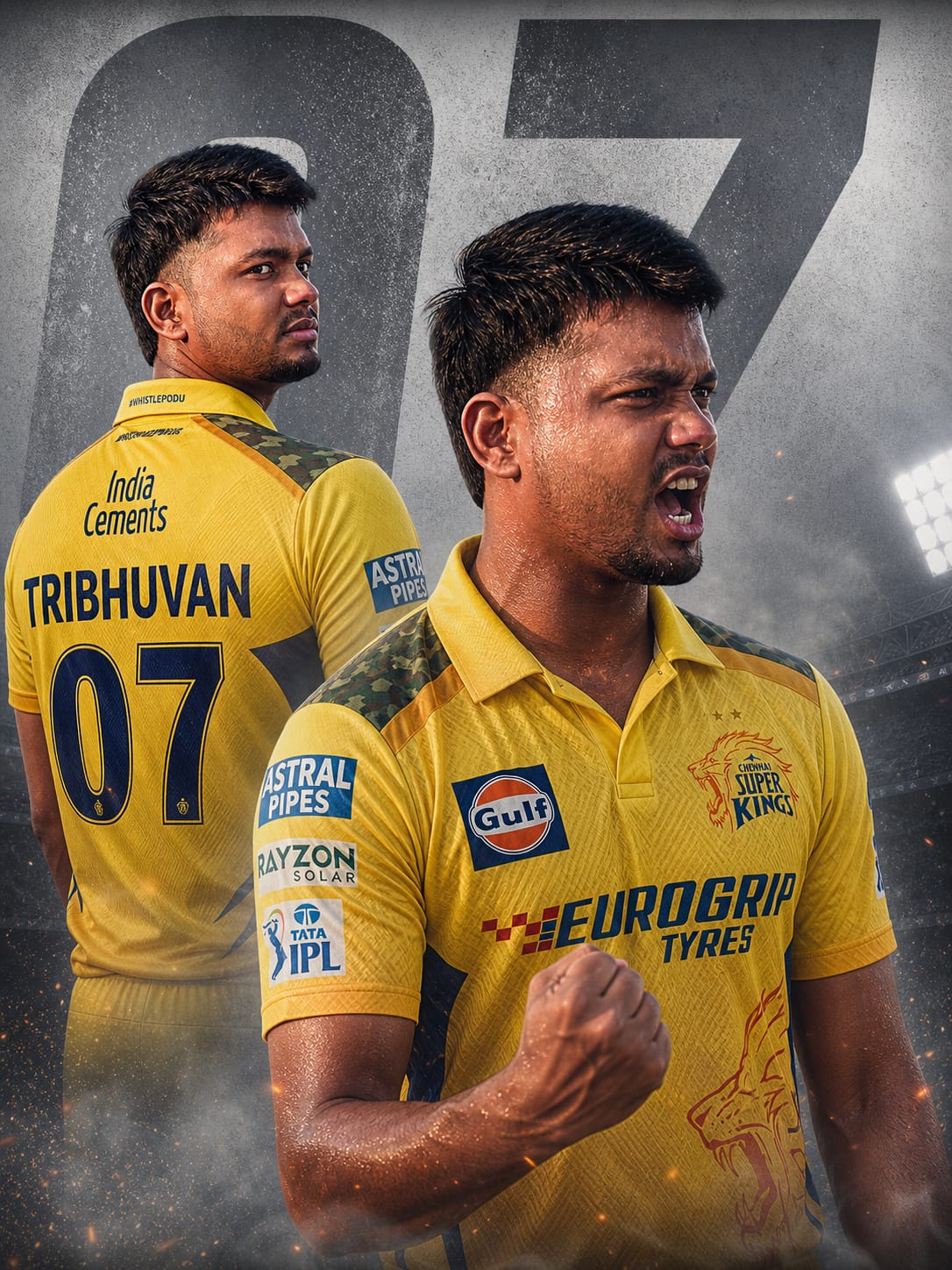
Are you ready to join the Yellow Army in the most cinematic way possible? As the cricket season hits its peak, standing out on social media requires more than just a standard selfie. This Chennai Super Kings (CSK) Dual-Pose AI Prompt is designed to transform your fandom into a professional-grade sports poster.
The prompt features a sophisticated dual-composition: a sharp, intense side-profile back view showcasing your custom name and the iconic “07” (or your choice of number), juxtaposed with a high-energy victory roar in the foreground. With 8K resolution, ultra-realistic sweat textures, and dramatic stadium lighting, this prompt captures the raw emotion and “Whistle Podu” spirit of a true CSK superfan. Let’s create your viral masterpiece!
The Premium Copy Card
Read more: CSK Fan Style: Stylish Young Man in CSK Jersey AI Prompt
Pro-Tips Section (Hinglish)
- Apna Naam Add Karein: Prompt mein jahan “TRIBHUVAN” likha hai, wahan apna real name likhein taaki AI jersey par aapka naam print kare.
- Jersey Number Customization: MS Dhoni fans “07” use karte hain, par aap “07” ko apne favorite number (jaise 08, 10, ya 18) se replace kar sakte hain.
- Realistic Look: Image ko aur real banane ke liye prompt mein “young man” ke aage “Indian man with short beard” add kar sakte hain.
- Background Change: Agar light-grey background pasand nahi, toh “textured dark background” ya “stadium backdrop” likh kar dekhein.
Step-by-Step Guide (Hinglish)
- Prompt Copy Karein: Sabse pehle upar diye gaye Copy Card par wait karein aur prompt ko copy karein.
- Open Karein: Google Gemini, ChatGPT
- Prompt Paste Karein: Copy kiya hua prompt box mein paste karein aur apna name aur number edit karein.
- Generate Button: “Create” par click karein. AI thodi hi der mein 4 unique posters generate kar dega.
- Download & Share: Apni favorite photo select karke download karein aur Instagram/WhatsApp DP par laga kar Whistle Podu karein!