
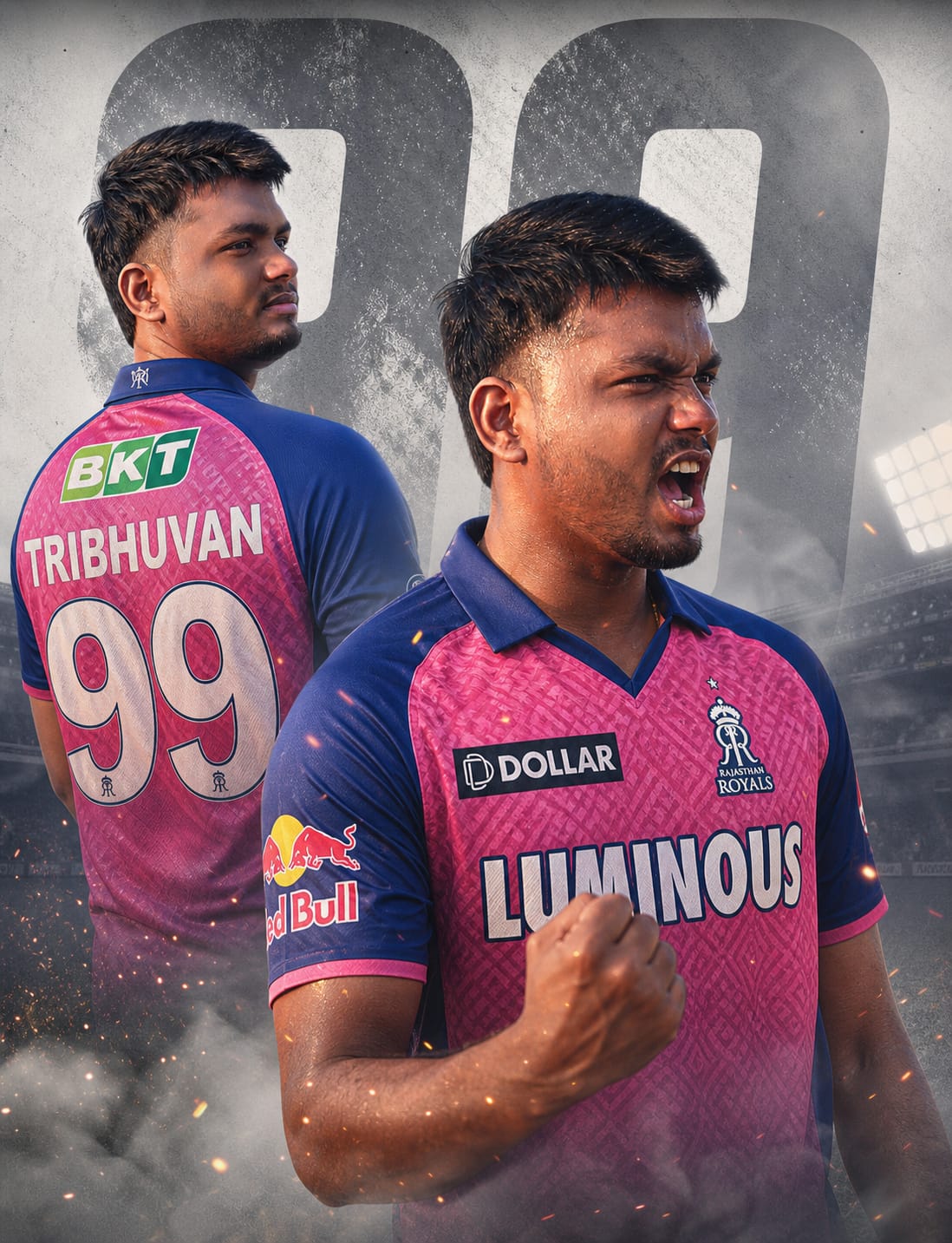
Are you ready to support the Halla Bol army in style? As the IPL season heats up, fans are looking for unique ways to showcase their loyalty on social media. This Rajasthan Royals (RR) Dual-Pose AI Prompt is designed to create a professional-grade, high-intensity cricket poster that looks like it belongs on a stadium billboard.
What makes this prompt special is the dual-angle storytelling. It features a sharp back view of the iconic Royal Pink jersey (customized with your name and number) paired with a fierce, emotional victory celebration in the foreground. With cinematic lighting, realistic sweat textures, and 8K clarity, this is the ultimate tool for any RR superfan looking to go viral.
The Premium Copy Card
Read more: Rajasthan Royals (RR) Jersey Gemini AI prompt:
Pro-Tips Section (Hinglish)
- Name Change: Prompt mein jahan “TRIBHUVAN” likha hai, wahan apna naam replace karein taaki jersey par aapka naam dikhe.
- Jersey Number: Aap “99” ki jagah apna favorite player ka number (jaise 63 for Jos Buttler ya 11 for Sanju Samson) add kar sakte hain.
- Facial Features: Realistic look ke liye aap “young man” ko replace karke detailed description de sakte hain, jaise “Bearded Indian man with sharp jawline.”
- Atmosphere: Agar aapko aur zyada “Halla Bol” vibe chahiye, toh “cinematic smoke” ki jagah “pink-colored smoke” add karke dekhein.
Step-by-Step Guide (Hinglish)
- Copy the Prompt: Sabse pehle upar diye gaye box se prompt copy karein (timer khatam hone ka wait karein).
- Open AI Tools: Google Gemini, ChatGPT.
- Paste and Edit: Prompt ko paste karein aur apna Name aur Number modify karein.
- Click Create: Create button par click karein aur kuch seconds wait karein.
- Upscale and Save: Jo image best lage uspar click karke high resolution mein download karein aur Instagram/WhatsApp DP par lagayein!