
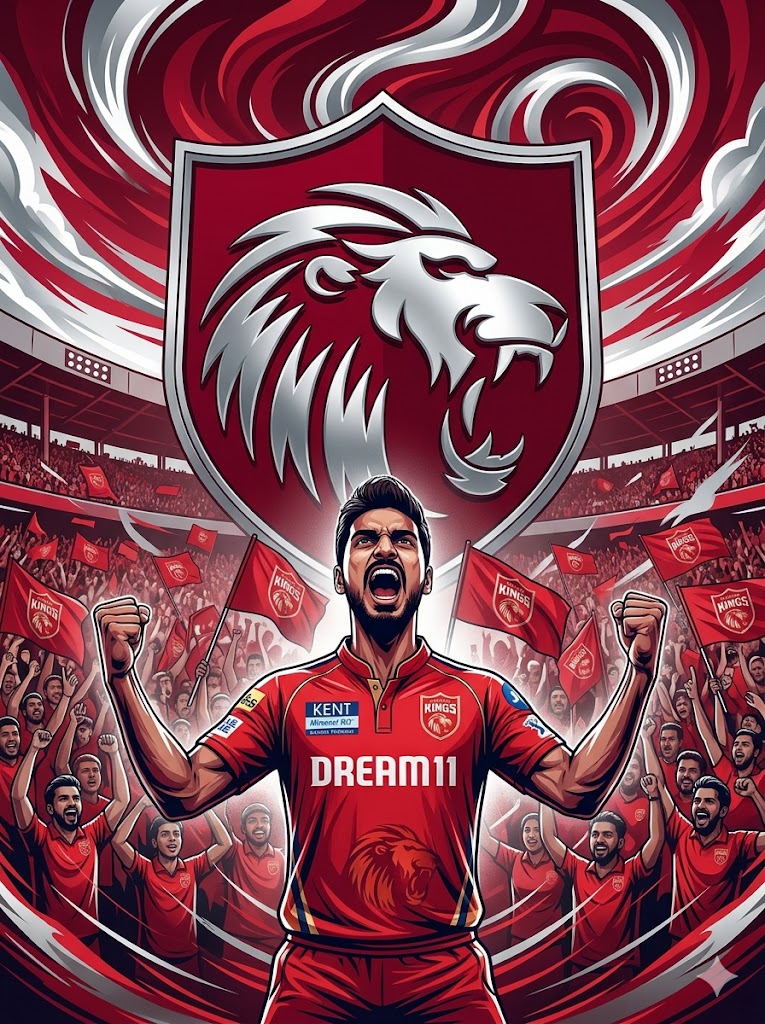
Are you ready to show your “Sadda Punjab” spirit? With the IPL fever reaching its peak, every fan wants a profile picture that stands out. This Punjab Kings (PBKS) AI Image Prompt is specifically designed to capture the raw energy and pride of a true Kings fan. Unlike standard AI photos, this prompt focuses on an ultra-wide 3:4 aspect ratio, giving you a cinematic digital illustration feel.
The vibe is all about power—think deep reds, metallic silvers, and a majestic lion crest looming in the background. Whether you want to showcase your love for the team on Instagram or WhatsApp, this prompt will generate a high-quality image of a fan celebrating with pure passion amidst a sea of red flags and swirling sky patterns.
The Premium Copy Card
Read more: Punjab kings (PBKS) Jersey from IPL 2026 Gemini prompt: IPL prompt for gemini
Pro-Tips Section (Hinglish)
Agar aap is prompt ko aur bhi personal banana chahte hain, toh ye tips follow karein:
- Name & Number: Jersey par apna naam likhne ke liye prompt mein add karein
"wearing a PBKS jersey with the name 'YOUR NAME' and number '07' on the back". - Facial Features: Agar aap apni photo upload karke reference de rahe hain, toh Bing ya Midjourney mein image URL use karein taaki face match kare.
- Lighting Changes: Cinematic look ke liye aap
"stadium floodlights flickering"or"golden hour lighting"add kar sakte hain. - Team Change: Agar kisi aur team ka fan art chahiye, toh bas “PBKS” ko “CSK” ya “RCB” se replace karein aur colors (deep red to yellow) change kar dein.
Step-by-Step Guide (Hinglish)
Is prompt ko use karna bahut simple hai:
- Step 1: Sabse pehle upar diye gaye box se prompt ko copy karein.
- Step 2: Bing Image Creator ya Midjourney par jayein.
- Step 3: Agar aap Bing use kar rahe hain, toh prompt paste karein aur Create button dabayein.
- Step 4: Midjourney users
/imagine prompt:command ke baad ye text paste karein. - Step 5: 10-15 seconds wait karein aur aapka High-Quality PBKS Fan Art ready ho jayega!
- Step 6: Image ko download karein aur apne social media par share karke dhoom machayein.