
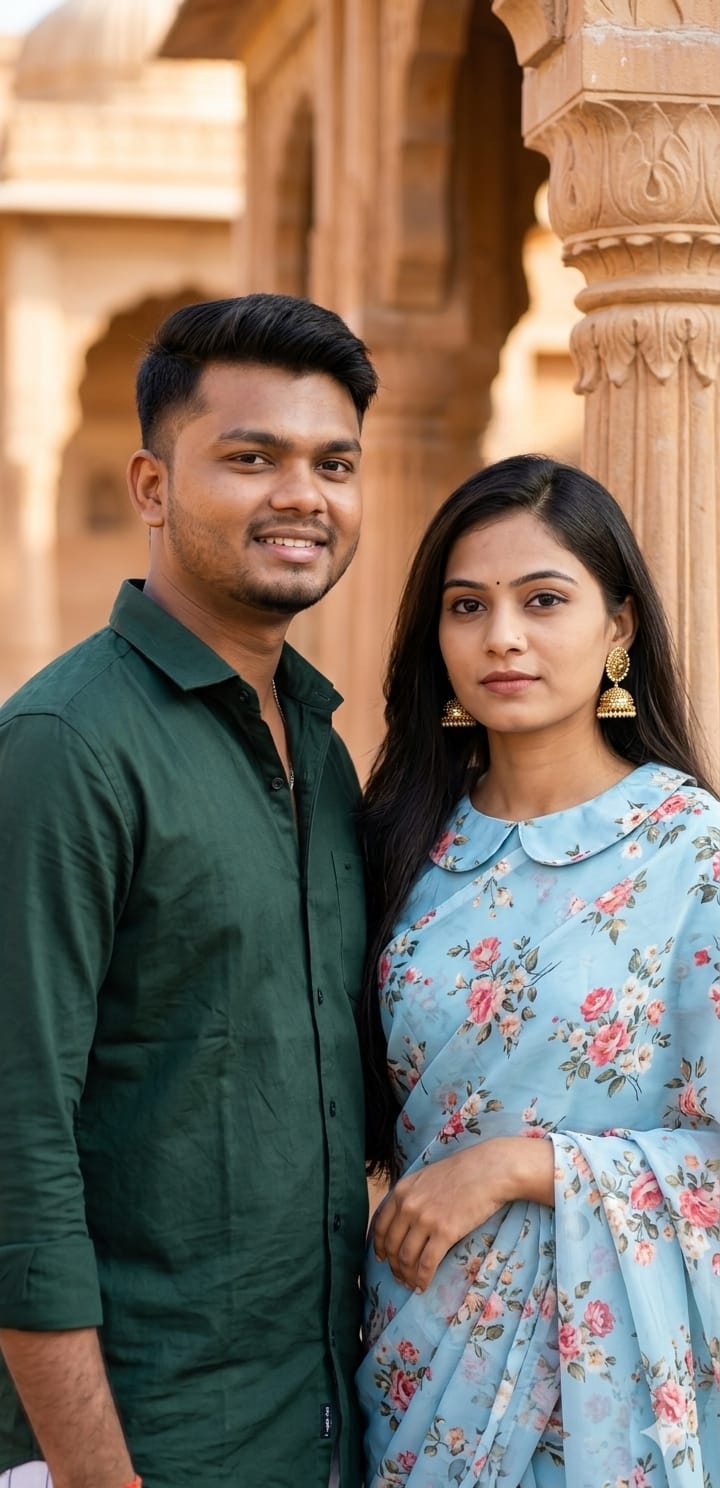
Looking to create a masterpiece that blends modern photography with classic Indian roots? This specific AI prompt is designed to generate a sophisticated and photorealistic portrait of a charming couple. The vibe is “heritage luxury”—featuring a woman in a stunning light blue floral saree with a unique Peter Pan collar blouse, paired with a man in a sharp dark green shirt.
What makes this prompt special is the cinematic depth of field. By placing the couple against a blurred background of warm-toned traditional Indian architecture, the focus remains entirely on the details: the intricate floral patterns, the glint of the earrings, and the natural expressions. Whether you’re a content creator or just want a “Royal Couple” aesthetic for your DP, this prompt is your secret weapon.
The Premium Copy Card
Read more: Taj Mahal Romantic Couple AI Prompt: Create Stunning Viral Photos
Pro-Tips Section
Aap is prompt ko customize karke aur bhi behtar result paa sakte hain:
- Name on Background: Agar aap chahte hain ki peeche wall par aapka naam ho, toh prompt mein “Name [Your Name] written in neon on the wall” add karein.
- Clothing Colors: Instead of “light blue floral saree,” try “deep maroon silk saree” for a more festive look.
- Jewelry Settings: AAP earrings ke type change kar sakte hain, jaise “Gold Jhumkas” ya “Pearl Choker.”
- Jersey Mode: Agar aap sports fan hain, toh shirt ki jagah “RCB Jersey with Name Kohli” likh kar dekhein!
Step-by-Step Guide
Ise use karna bohot simple hai, bas ye steps follow karein:
- Prompt Copy Karein: Sabse pehle upar diye box se prompt copy karein (Wait for 15 seconds).
- Bing Creator Open Karein: Microsoft Bing Image Creator website par jayein.
- Image Upload (Optional): Agar aapko apna real face chahiye, toh “Face Swap” tools ya Midjourney ka reference image feature use karein.
- Paste and Create: Copy kiya hua prompt box mein paste karein aur “Create” button par click karein.
- Download Result: Kuch seconds mein aapke paas 4 cinematic options honge. Jo best lage use download kar lein!