
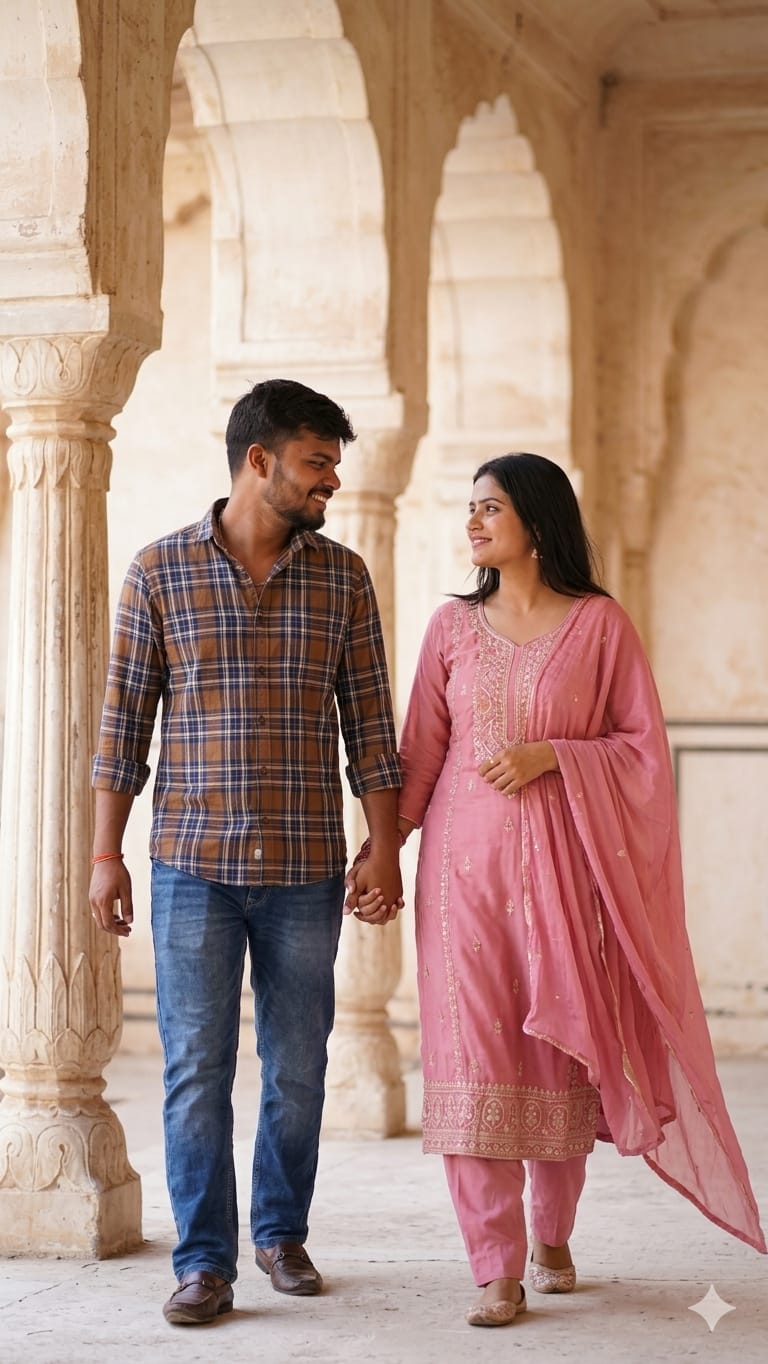
Agar aap bhi apni ya apne partner ki photos ko ek majestic aur cinematic look dena chahte hain, toh ye AI prompt aapke liye perfect hai! This prompt captures the essence of traditional Indian romance, blending the elegance of a pink salwar kameez with a casual yet sharp plaid shirt look.
What makes this prompt special is the rustic architectural background, which gives the image a timeless, “royal heritage” vibe. Whether you want to create a digital memory for your anniversary or just want to see yourself in a high-end photorealistic setting, this prompt delivers incredible detail—from the soft fabric textures to the emotional connection in the couple’s eyes. Let’s dive in and unlock the magic!
The Premium Copy Card
Read more: Create stylish man poses using a Google Gemini prompt:
Pro-Tips Section
Aap is prompt ko aur bhi zyada personal bana sakte hain:
- Outfit Colors: “Pink dupatta” ki jagah aap “Red lehenga” ya “Yellow saree” likh kar color scheme change kar sakte hain.
- Background Change: Agar rustic columns nahi chahiye, toh “Taj Mahal background” or “Modern cafe setting” add karein.
- Face Swap Hint: Agar aap apna chehra use karna chahte hain, toh prompt ke end mein “Looking exactly like the reference photo” add karein aur image upload karke “Remix” feature use karein.
- Vibe Modification: “Golden hour” ki jagah “Rainy evening” likhne se mood poora badal jayega.
Step-by-Step Guide
Ise use karna bohot aasaan hai:
- Prompt Copy Karein: Upar diye gaye card se prompt copy karein jab timer khatam ho jaye.
- Open Bing/Midjourney: Open Bing Image Creator (Microsoft Designer) or Midjourney.
- Prompt Paste Karein: Copy kiya hua text paste karein.
- Reference Image (Optional): Agar aapka apna chehra chahiye, toh Bing ya Midjourney mein apni photo upload karein aur uske link ke saath ye prompt use karein.
- Generate: “Create” button par click karein aur kuch hi seconds mein result aapke saamne hoga!
1 thought on “Couple image Gemini AI prompt: Create Romantic, Stunning, Realistic Images”