
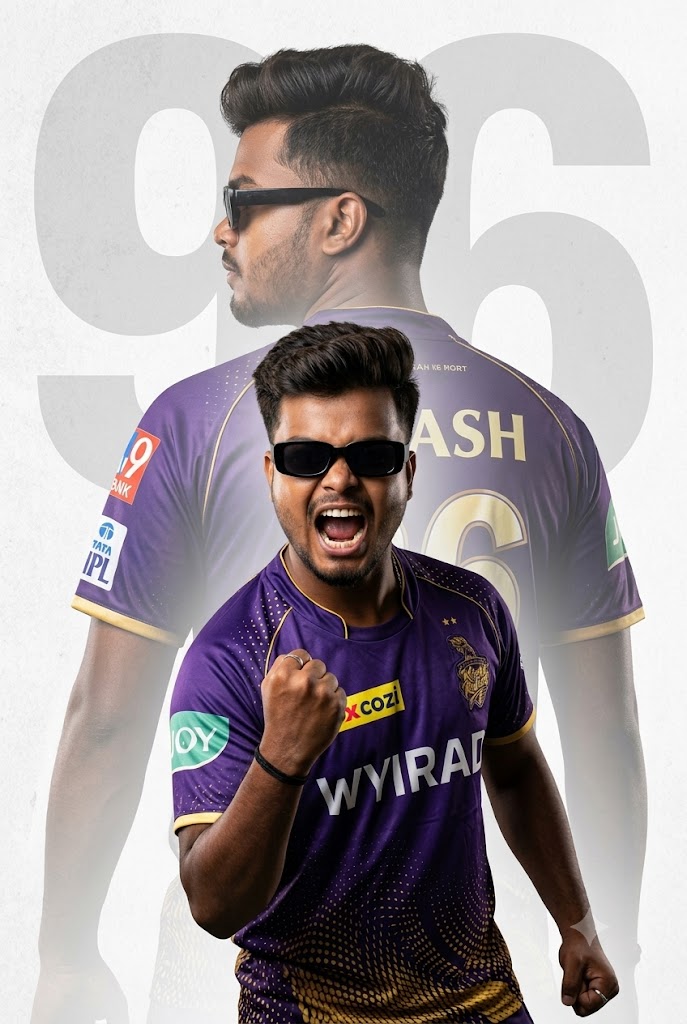
Are you ready to show your ultimate support for the Kolkata Knight Riders? Korbo Lorbo Jeetbo Re is not just a slogan; it’s an emotion! If you want to create a high-quality, professional-looking sports poster featuring yourself in the iconic purple and gold KKR jersey, you have come to the right place. This premium AI image prompt is specially designed to capture that electric match-day energy using advanced graphic design elements like double exposure and cinematic lighting. Whether you want to spice up your Instagram feed or update your WhatsApp profile picture, this viral KKR fan prompt will give you an 8K-resolution masterpiece that looks like it was made by an official IPL designer.
The Premium Copy Card
Read more: Create KKR Jersey AI Gemini prompt: Kolkata Knight Riders
Pro-Tips Section (Hinglish)
Agar aap is image ko apne hisab se full customize karna chahte hain, toh ye quick edits zaroor karein:
- Name Change: Prompt mein jahan
'Yash'likha hai, wahan apna khud ka naam ya apne favorite player ka naam add karein (e.g.,). - Jersey Number:
'96'ki jagah apna lucky number ya iconic KKR numbers jaise'12'7 ya 18'55'daalein. Yaad rakhein ki watermark text ko bhi change karein taaki background match kare! - Hairstyle & Look: Agar aapko quiff-style hairstyle nahi chahiye, toh aap isse ‘buzz cut,’ ‘faded sides look,’ or ‘long wavy hair’ se replace kar sakte hain.
- Team Colors & Theme: Waise toh KKR ki pehchan classic purple and gold se hai, par agar aap background ko aur zyada intense banana chahte hain, toh ‘textured light gray’ ko ‘dark smoky purple background with gold sparkles’ mein badal sakte hain.
Step-by-Step Guide (Hinglish)
Is premium prompt se apni photo generate karne ke liye neeche diye gaye steps ko follow karein:
Bing Image Creator Use Kaise Karein:
- Sabse pehle upar diye gaye premium card se prompt ko copy karlein.
- Apne browser mein Bing Image Creator (Microsoft Designer) ki official website par jayein.
- Apne Microsoft account se login karein. Agar account nahi hai, toh 2 minute mein free sign-up karein.
- Search box mein prompt ko paste karein aur jo bhi changes karne hain (jaise name aur jersey number) unhe edit karlein.
- ‘Create’ button par click karein. 10-15 seconds mein aapke samne 4 mind-blowing options aa jayenge. Apni favorite image choose karke HD mein download karein!
Midjourney Use Kaise Karein:
- Apne Discord account ko open karein aur Midjourney server ya apne personal Midjourney bot DM par jayein.
- Chat box mein
/imaginecommand type karen. - Prompt box appear hone par hamara copied prompt paste karein aur apni customization details daalein.
- Aspect ratio set karne ke liye prompt ke bilkul end mein
--ar 3:4“||”--ar 9:16add karein taaki poster perfect mobile wallpaper size mein generate ho. - Enter press karein aur upscale (U1, U2, U3, U4) ka use karke best high-resolution version ko save karein.