
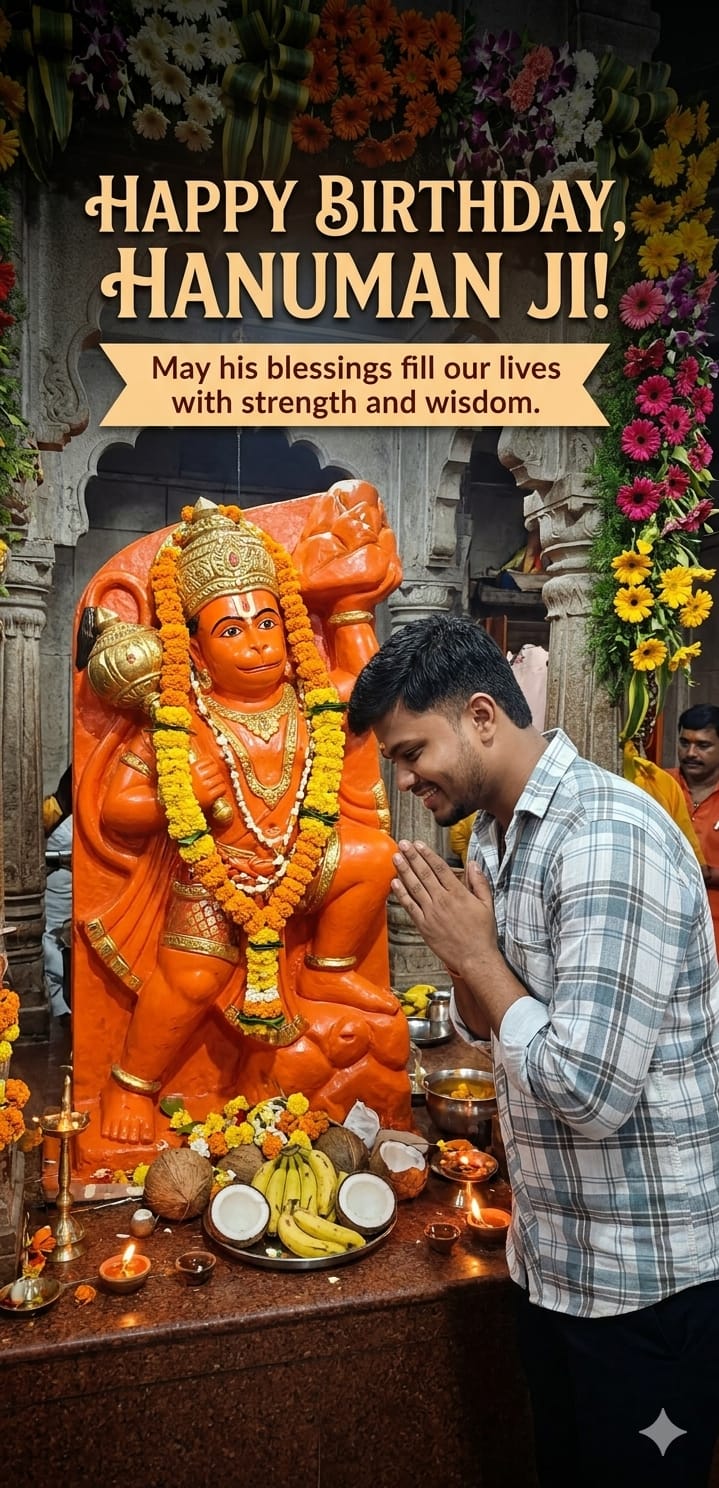
As the auspicious occasion of Hanuman Janmotsav approaches, everyone is looking for that perfect, soulful way to express their devotion. This happy birthday Hanuman Ji AI prompt is designed to create a scene that feels both modern and deeply traditional. It captures a handsome young man in a light grey-blue shirt—symbolizing the modern devotee—bowing in a beautifully lit, divine temple.
The highlight of this prompt is the integration of clear, elegant text and a festive atmosphere filled with marigold garlands and glowing diyas. It’s perfect for creating personalized WhatsApp statuses, Instagram posts, or heartfelt greetings that stand out with professional, cinematic quality. Let’s dive in and create some spiritual magic!
The Premium Copy Card
Read more: Lord Hanuman Gym Deadlift AI Prompt: Elevate Your Fitness Motivation
Pro-Tips Section
- Change Outfit: Agar aapko shirt ka color change karna hai, toh “grey-blue shirt” ko “saffron kurta” ya “white T-shirt” se badal dein.
- Personalize Text: Aap “Happy Birthday” ki jagah “Hanuman Janmotsav Ki Hardik Shubhkamnayein” bhi likh sakte hain.
- Adjust Background: Mandir ki jagah, you can add “Himalayas” or “Sumeru Parvat” in the background for an epic feel.
- Atmosphere: Deepak’s place, “Morning sunlight rays” or “Evening sunset glow” try karein for a different vibe.
Step-by-Step Guide
- Prompt Copy Karein: Sabse pehle upar diye gaye box se prompt copy karein (timer khatam hone ka wait karein).
- Bing Image Creator Open Karein: Microsoft Bing ki website par jayein aur “Image Creator” search karein.
- Paste & Generate: Copy kiya hua prompt box mein paste karein. Agar aapko kuch change karna hai (jaise shirt color), toh woh edit karein.
- Create Par Click Karein: Dabayein the “Create” button aur AI do its magic.
- Save & Share: Jab image generate ho jaye, usse download karein aur apne doston ke saath share karein!