
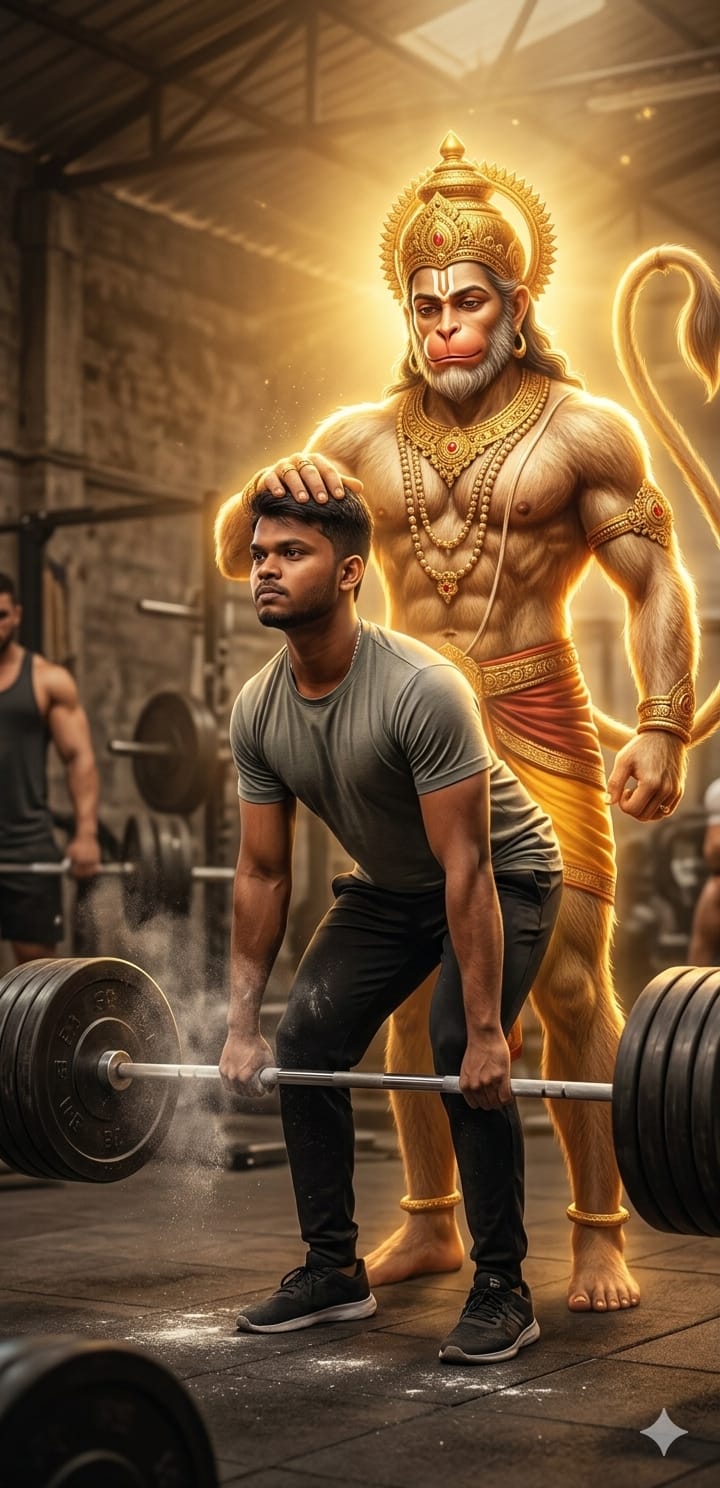
Fitness is not just about physical strength; it’s about the mental and spiritual power that keeps you going. This ultra-realistic cinematic Lord Hanuman deadlift prompt is designed to capture that exact vibe—the epic fusion of Bhakti and strength. Imagine a scene where you are pulling a heavy deadlift, and the mighty Bajrangbali stands tall behind you, his divine hand resting on your head in a silent blessing.
Whether you want a new wallpaper for motivation or a viral post for Instagram, this prompt delivers high-contrast, godly lighting with hyper-detailed textures. It’s perfect for those who believe that their strength comes from a higher power. Let’s bring this divine vision to life!
The Premium Copy Card
Read more: Jay Bajrangbali photo editing AI prompt: using ChatGPT and Gemini.
Pro-Tips for Customization
- Change the Person: Agar aap ladki hain, toh simply replace “young muscular man” with “muscular girl wearing gym gear.”
- Jersey & Outfit: Aap apna favorite jersey color ya number add kar sakte hain. Example: “wearing a red t-shirt with ‘7’ written on the back.”
- Atmosphere: For a more intense look, add words like “lightning bolts” or “heavy rain outside the gym windows.”
- Facial Expressions: If you want an intense look, then add “determined facial expression with veins popping.”
Step-by-Step Guide (How to Use)
- Prompt Copy Karein: Sabse pehle upar diye gaye box se prompt copy karein (timer khatam hone ka wait karein).
- Open AI Tool: Bing Image Creator (Designer) ya Midjourney open karein.
- Paste & Edit: Text box mein prompt paste karein. Agar aapko apna naam ya koi specific cheez change karni hai, toh abhi kar lein.
- Create Par Click Karein: Generate button dabayein aur 10-20 seconds wait karein.
- Upscale & Save: Jo image sabse best lage, usse download karein. High quality ke liye, aap isse kisi bhi AI upscaler tool se 4K mein convert kar sakte hain.