
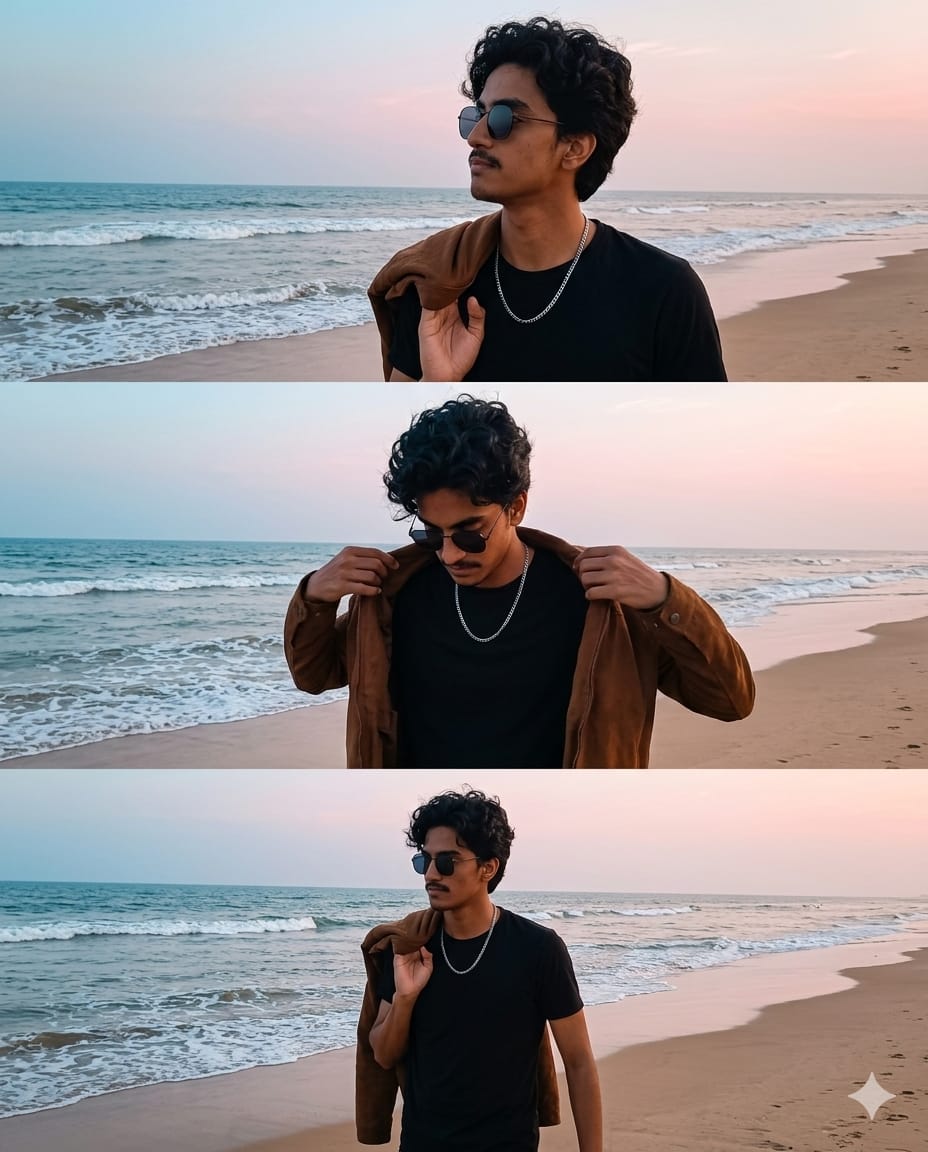
Aesthetic lifestyle photography is all about capturing a vibe, and nothing does it better than a vertical triptych layout. This specific AI prompt is designed to create a cinematic storytelling effect, featuring a three-panel sequence of a young man on a serene beach. From the thoughtful gaze towards the ocean to the candid walk along the shoreline, this prompt focuses on natural lighting, moody atmospheres, and “quiet luxury” styling—think brown jackets, silver chains, and soft blue horizons.
Whether you want to showcase your own face using AI swap tools or create a high-end fashion concept, this prompt delivers a professional, magazine-style result that is perfect for Instagram or portfolio displays.
The Premium Copy Card
Read more: Beach Gemini AI prompt copy-paste create image: Moody Beach Vibe
Pro-Tips Section (Hinglish)
- Custom Hair & Face: Agar aapko curly hair nahi chahiye, toh “curly dark hair” ko “short fade cut” ya “straight hair” se replace karein.
- Outfit Colors: Instead of “brown jacket,” you can write “denim jacket” or “beige overshirt” for a different look.
- Location Change: Beach ki jagah agar aapko mountain vibe chahiye, toh “serene beach” ko “misty pine forest” se change kar dein.
- Accessories: Chain aur sunglasses ko hatane ya badalne ke liye prompt mein “silver chain” ko “leather watch” se swap karein.
- Lighting: “Natural lighting” ko Golden hour lighting” karein agar aapko orange sunset wala effect chahiye.
Step-by-Step Guide (Hinglish)
- Copy the Prompt: Sabse pehle upar diye gaye premium card se prompt copy karein.
- Open AI Tool: Bing Image Creator (Microsoft Designer) ya Midjourney open karein.
- Paste & Edit: Prompt paste karein aur agar apni marzi se changes karne hain (jaise kapdon ka color), toh edit karein.
- Generate: Create button par click karein aur 4 images generate hone ka wait karein.
- Face Swap (Optional): Agar aapko isme apna face lagana hai, toh image download karke Remaker AI ya InsightFaceSwap use karein “100% same face” result ke liye.