
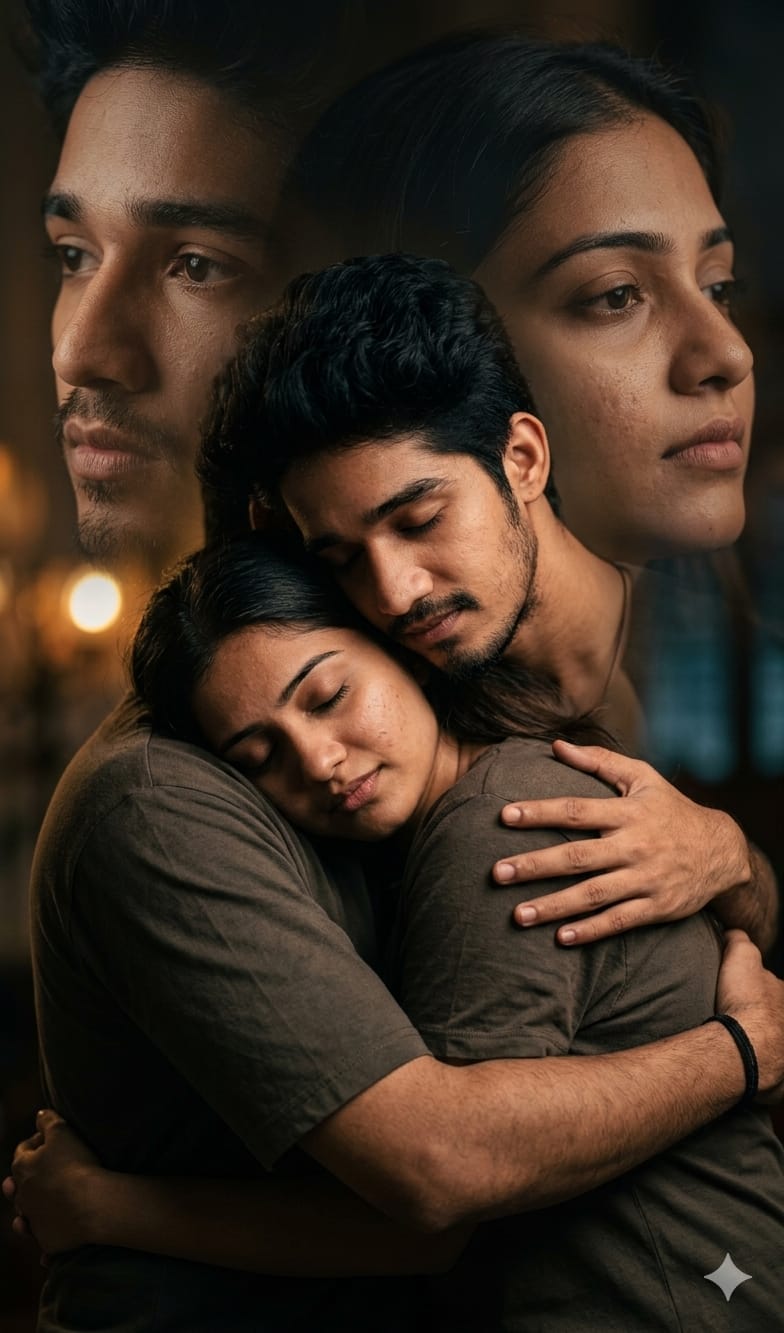
Capture the depth of romance with this unique Cinematic Double Exposure AI prompt. This isn’t just a standard couple photo; it’s an artistic blend inspired by classic Bollywood love scenes, designed to feel like a high-end, professional DSLR photoshoot. The central image features an emotional, protective hug—a timeless gesture of love and security.
What makes this prompt truly special is the seamless integration of a double exposure effect. Softly blended in the moody background are the larger, artistic faces of both individuals, adding a layer of dreamlike emotion and thought to the scene. If you are looking for an ultra-realistic, deeply emotional 4K image with professional skin details, this prompt is for you.
The Premium Copy Card
Read more: Lovely prompt Gemini AI:
Pro-Tips Section (Hindi Mix)
- Exact Face Reference: Agar aapko uploaded photos ke hi same faces chaiye, toh Midjourney mein prompt start karne se pehle dono photos ke links paste karein. Isse AI un chehron ko image generation ke liye base manega.
- Mood Change: “Moody cinematic lighting” ko aap badal sakte hain. Agar romantic sunset vibe chaiye toh “soft golden hour lighting” ya night scene ke liye “dramatic neon city lights lighting” use karein.
- Clothing: Indian look dene ke liye outfits specify karein. Example: “Man in a black sherwani” and “Woman in a red bridal saree.”
- Double Exposure Intensity: Agar double exposure effect kam ya zyada chaiye, toh AI ko instruct karein: “subtle double exposure blending” (kam) ya “prominent, sharp double exposure edges” (zyada).
Step-by-Step Guide (Hinglish)
- Prompt Copy Karein: Sabse pehle, upar diye gaye custom card se text copy karein (timer khatam hone ke baad).
- AI Tool Open Karein: Apne pasandida AI image generator par jayein, jaise Midjourney ya Bing Image Creator.
- Upload Reference Images (Midjourney ke liye): Midjourney use kar rahe hain toh slash command
/imagineuse karne se pehle apni face reference photos upload karein aur unke URL prompt ki shuruvat mein paste karein. - Paste & Generate: Copy kiya hua main prompt text reference links ke baad paste karein (Midjourney mein) ya seedhe dialogue box mein (Bing mein).
- Refine (Swap Face): Agar generate ki hui image mein face change ho jata hai (khaaskar Bing use karte waqt), toh result save karein aur Remaker AI jaisi dynamic face swapping tools use karke uploaded photos se face badal lein.