
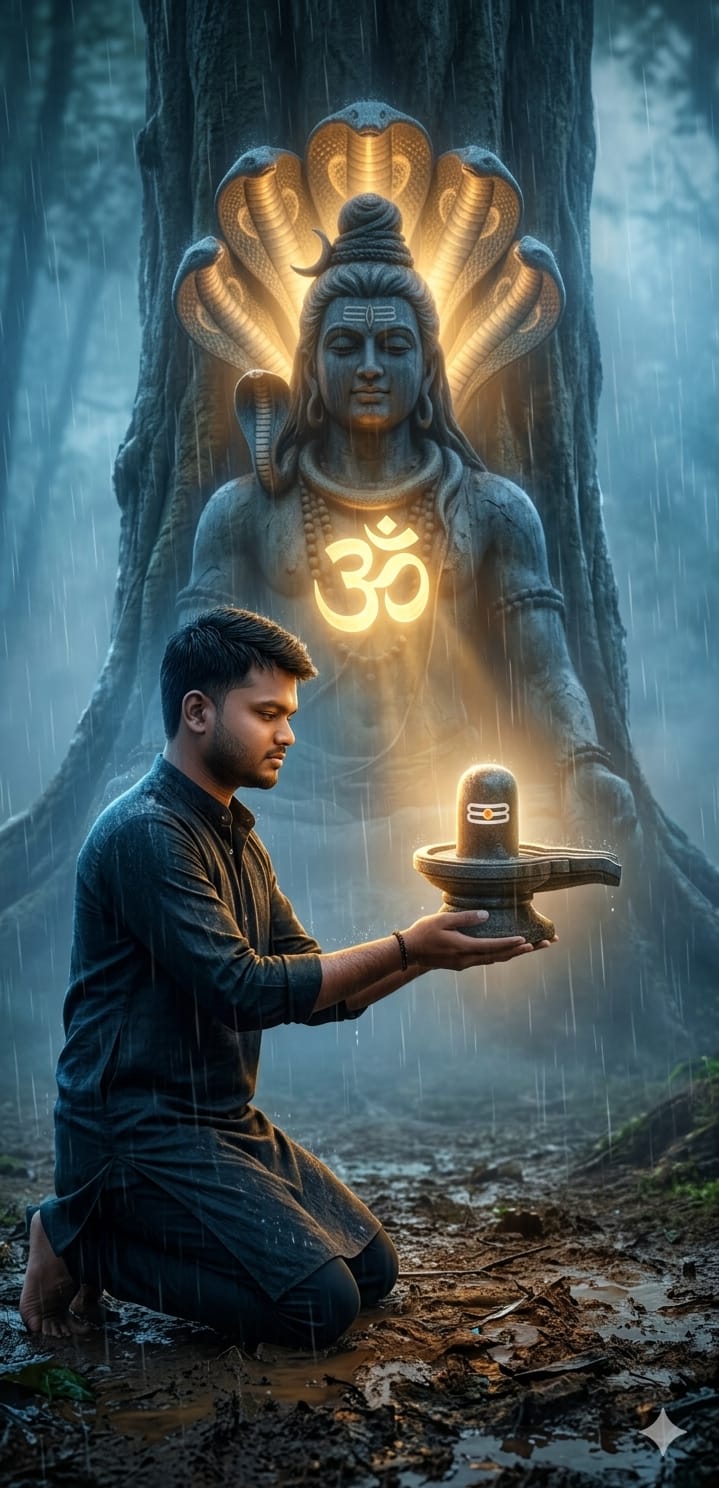
Agar aap social media par trending devotional images dekh rahe hain aur waisa hi high-quality, cinematic art create karna chahte hain, toh ye post aapke liye hai! This specific AI prompt captures a deeply emotional and spiritual vibe: a devotee kneeling in the rain, offering a glowing Shiva Lingam to a massive, tree-carved Mahadev statue.
The combination of volumetric lighting, misty forest aesthetics, and the radiant “ॐ” symbol creates a divine atmosphere that is perfect for Instagram reels, WhatsApp statuses, or personal DP. Is prompt ki khasiyat iski detailing hai—raindrops se lekar cobra hoods tak, sab kuch ek movie scene jaisa lagta hai.
The Premium Copy Card
Devotional Art
Hyper-Realistic 8K
Read more: Jai Bajrangbali photo Gemini AI prompt: Face-Lock Reality Prompt
Pro-Tips Section
- Face Reference: Agar aap apni photo use karna chahte hain, toh Midjourney mein pehle apni photo upload karein aur uska link prompt ke shuruat mein paste karein.
- Clothing Change: Prompt mein “man kneeling” ki jagah “man wearing an orange dhoti” ya “wearing a black rudraksha mala” add karein to make it more traditional.
- Time of Day: Light ko customize karne ke liye “Golden hour lighting” ya “Moonlight atmosphere” likhein.
- Environment: “Forest” ki jagah “Himalayan cave” ya “Ganges river bank” likh kar background change kar sakte hain.
Step-by-Step Guide
- Open AI Tool: Sabse pehle Bing Image Creator (free) ya Midjourney (paid) par jayein.
- Paste Prompt: Upar diye gaye “Copy Prompt” button se text copy karein aur search box mein paste karein.
- Hinglish Tip: Agar aap Midjourney use kar rahe hain, toh aakhir mein
--ar 16:9“ya”--v 6.0zaroor likhein better quality ke liye. - Generate: Create button par click karein aur 10-15 seconds ka wait karein.
- Upscale & Save: Jo image pasand aaye, us par click karke use high resolution mein download kar lein.