
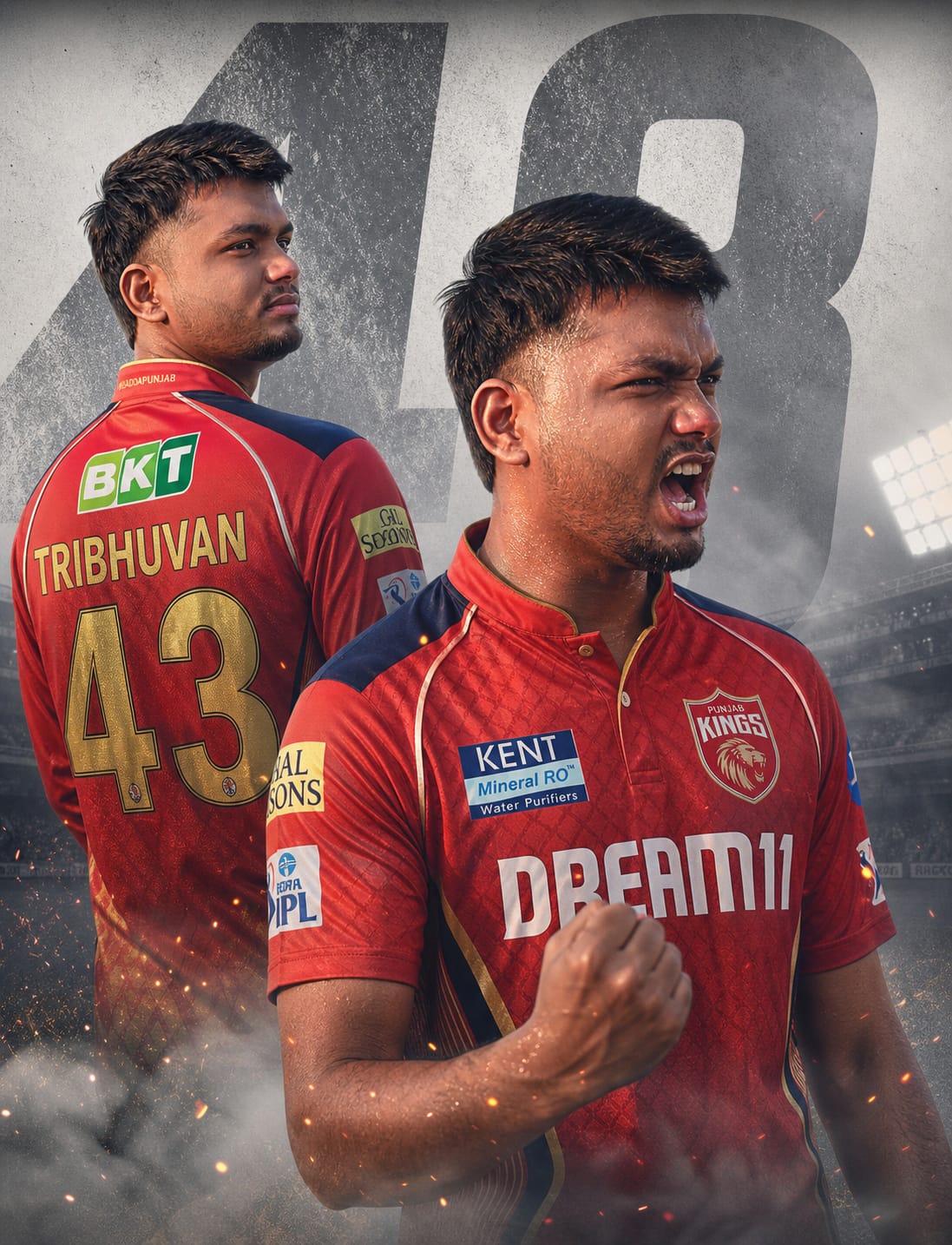
Are you ready to show your ultimate loyalty to Punjab Kings? This exclusive, high-impact AI image prompt lets you generate a cinematic dual-pose cricket poster featuring you in the iconic PBKS kit. Designed to capture pure athletic intensity, it sets your avatar against a gritty, textured light-grey backdrop with a massive, faded legendary “43” towering behind.
With one angle showcasing a powerful back profile—customized with your name and favorite number—and the foreground capturing a roaring victory celebration, this concept brings unmatched drama. It is packed with premium visual elements like realistic sweat textures, cinematic smoke, flying dust particles, and glowing sparks illuminated by sharp stadium floodlights. Whether you want to light up Instagram reels or set a killer WhatsApp DP, this prompt brings premium, stadium-level energy to your screen.
The Premium Copy Card
Read more: Mumbai Indians Jersey prompt: create AI photo Gemini and ChatGPT
Pro-Tips Section (Hinglish)
Agar aap is image ko aur bhi zyada personal aur unique banana chahte hain, toh prompt ke andar yeh chote badlav zaroor karein:
- Name Customization: Prompt me jahan
"TRIBHUVAN"likha hai, usse hata kar apna khud ka naam capital letters me daalein (e.g.,"SURAJ"ya"JASSI"). - Jersey Number Change: Agar aapka favorite player Shashank Singh ke alawa koi aur hai, toh
"43"ko badal kar apna koi bhi lucky number daalein. Yaad rakhein ki background text aur jersey text dono jagah number badlein. - Team & Colors Swap: Agar aap PBKS ke alawa kisi aur IPL team jaise RCB, CSK, ya KKR ke fan hain, toh
"Punjab Kings (PBKS)"aur"royal red and deep blue"ko change karke apni pasandida team aur unke signature jersey colors add kar sakte hain. - Face Detail Adjustments: Aap
"young man"ki jagah"18-year-old boy"ya"bearded man"likh kar apne look ke hisab se text adjust kar sakte hain taaki image aap se match kare.
Step-by-Step Guide (Hinglish)
Bing Image Creator Use Kaise Karein:
- Sabse pehle upar diye gaye premium card se prompt ko copy karlein.
- Open your browser to Google Gemini and ChatGPT.
- Ab text box ke andar prompt ko paste kar dein.
- Paste karne ke baad, prompt me diye gaye custom details jaise name aur jersey number ko apne hisab se edit karein.
- Ab simple Create button par click karein. Kuch hi seconds me aapke samne 4 kamaal ki 8K cinematic images taiyar ho jayengi.
- Jo photo sabse best lage, uspe click karke download button dabaayein aur gallery me save karein.
Midjourney Par Generate Kaise Karein:
- Apne Discord app ko open karein aur Midjourney server par jayein.
- Kisi bhi
newbieschannel me ya apne personal bot chat me/imaginecommand type karein. - Prompt section mein hamara text paste karein aur naam badalna na bhoolein.
- Ultra-high quality cinematic dynamic look ke liye prompt ke bilkul end me
--ar 9:16(reels/stories ke liye) zaroor add karein. - Enter press karein aur grid me se apna perfect version select karke upscale (
U1, U2, U3, U4) karke download karlein.
2 thoughts on “Viral PBKS Fan AI Photo Editing: Gemini and chatGPT”