
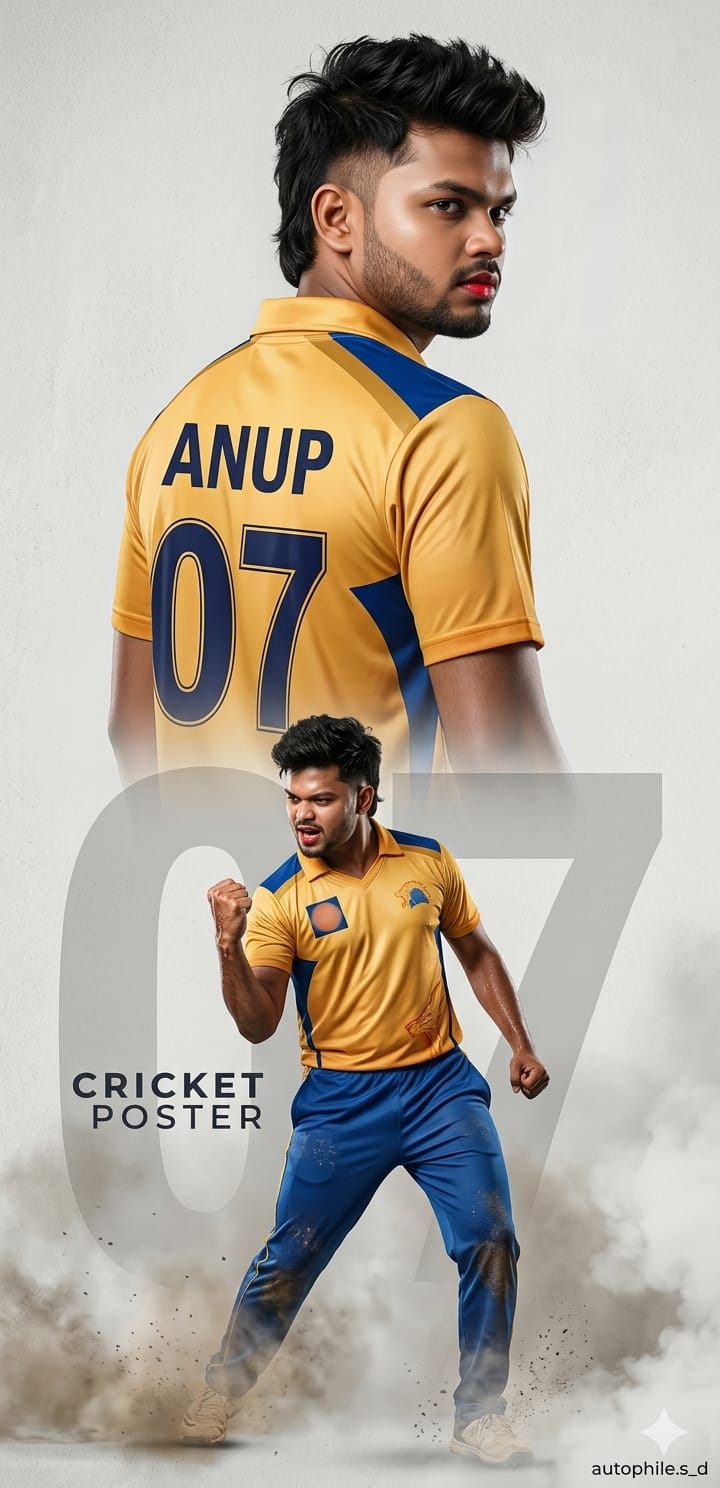
Cricket is not just a sport in India; it’s an emotion. With the yellow fever of Chennai Super Kings always trending, every fan wants to see themselves in that iconic golden-yellow jersey. This specific AI prompt is designed to create an ultra-realistic cinematic poster that looks like a professional brand shoot.
What makes this prompt special is the dual-pose composition: you get a powerful back profile showing your name and the legendary ’07’ number, combined with an intense celebration shot in the foreground. Whether you want to flaunt your “glass skin” look or that “messy fade mullet,” this prompt captures every detail with surgical precision. Let’s turn you into the next CSK superstar!
The Premium Copy Card
Cricket Fan Poster
Cinematic 4K
Read more: CSK Prompt for Gemini
Pro-Tips: Prompt Ko Customize Kaise Karein?
- Name Change: Prompt mein jahan ‘ANUP’ likha hai, wahan apna naam replace karein.
- Jersey Number: You can put your favorite number (like 18, 45, or 33) in place of ’07.’
- Team Colors: Agar aap RCB fan hain, toh ‘golden-yellow’ ko ‘Red and Black’ se badal dein aur ‘CSK’ ko ‘RCB’ likh dein.
- Hairstyle: Mullet ki jagah ‘short spiky hair’ ya ‘slick back’ likh kar look change karein.
- Facial Features: Aap skin tone aur beard style (e.g., ‘heavy stubble’) bhi specify kar sakte hain.
Step-by-Step Guide: Photo Kaise Banayein?
- Prompt Copy Karein: Upar diye gaye card se timer khatam hone ke baad prompt copy karein.
- Bing Image Creator Par Jayein: Google par “Bing Image Creator” search karein aur Microsoft account se login karein.
- Prompt Paste Karein: Copy kiya hua text box mein paste karein aur apne naam ke hisaab se changes karein.
- Create Par Click Karein: Kuch seconds wait karein, AI aapke liye 4 amazing options generate karega.
- Face Swap (Optional): Agar aapko apna exact face chahiye, toh ‘Remaker AI’ jaise tools use karke apna face swap kar sakte hain.