
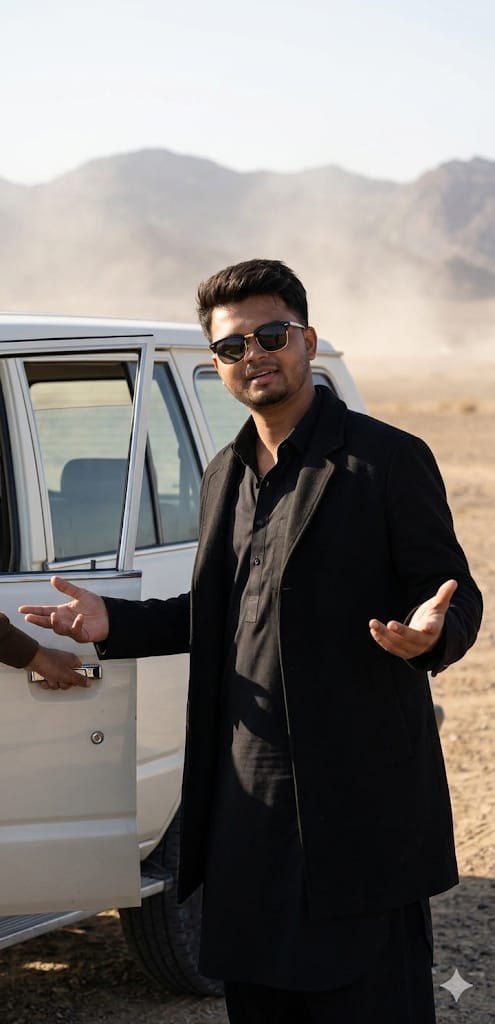
Agar aap ek high-end, cinematic photo generate karna chahte hain jo bilkul professional DSLR shot jaisi dikhe, toh ye prompt aapke liye perfect hai. This prompt captures a sophisticated vibe featuring a middle-aged man in a sleek black Pathan suit standing next to a vintage white SUV. The setting is a hazy, sun-drenched desert that adds a layer of mystery and class. What makes this special is the ultra-realistic lighting and 8K HDR textures that make the skin tones and car reflections look incredibly lifelike. Whether you are looking for a powerful profile picture or a storytelling visual, this “Face “Match”-ready prompt delivers top-tier results.
The Premium Copy Card
Realistic Portrait
8K Cinematic
Read more: Lovely prompt Gemini AI
Pro-Tips Section
- Face Swap: 100% Face Match ke liye generate ki gayi image ko Remaker AI ya InsightFaceSwap (Discord) par le jaayein aur apni photo ke saath swap karein.
- Outfit Change: Agar aapko Black Pathan suit nahi chahiye, toh prompt mein “Black Leather Jacket and Blue Jeans” likh kar style change kar sakte hain.
- Vehicle Color: Vintage White SUV ki jagah “Matte Black G-Wagon” ya “Red Classic Mustang” likhein for a different vibe.
- Time of Day: Desert sunlight ko badalne ke liye “Golden Hour” ya “Moonlight” keywords ka use karein.
Step-by-Step Guide
- Prompt Copy Karein: Sabse pehle upar diye gaye box se prompt ko copy karein (timer khatam hone ka wait karein).
- AI Tool Open Karein: Bing Image Creator ya Midjourney par jaayein.
- Paste & Generate: Prompt ko input box mein paste karein aur ‘Create’ button par click karein.
- Reference Image (Optional): Agar aap Midjourney use kar rahe hain, toh
/imaginecommand ke saath apni photo ka link paste karein for better face match. - Final Touch: Resulting image ko download karein aur agar face match thoda kam lag raha hai, toh upar bataye gaye Remaker AI tool ka use karein.
1 thought on “Rahman Dakait trending image prompt: Dhurandhar 100% Face Match Guide”