
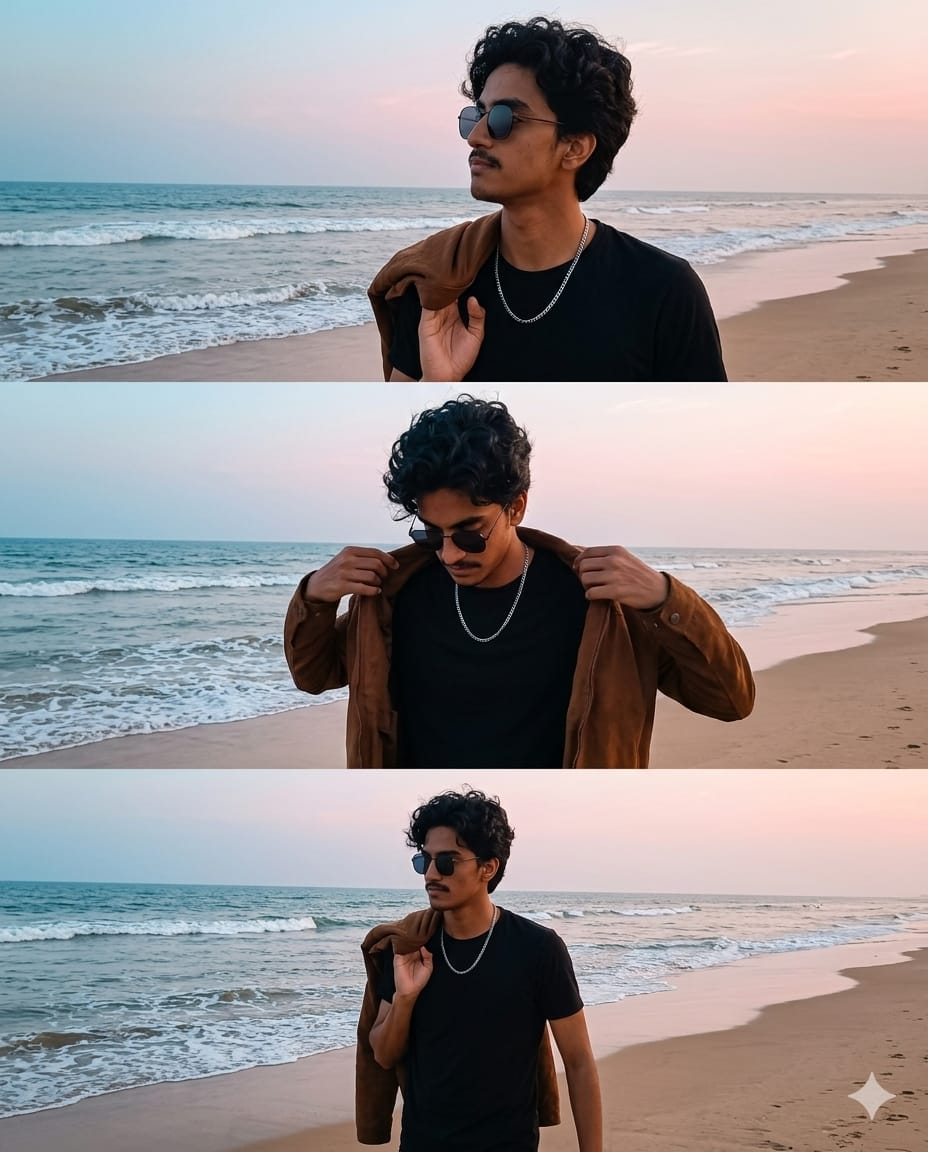
Looking to upgrade your social media aesthetic with a layout that looks like a high-end cinematic mood board? This unique vertical triptych (three-panel layout) prompt is a complete game-changer. Instead of generating a single isolated image, this prompt instructs the AI to create a seamless storytelling sequence featuring a stylish young man on a serene beach. The composition balances moody elements with casual elegance—capturing motion, thoughtful poses, and a beautiful coastal palette of soft blue skies, golden tan sand, and gentle ocean waves. It is highly specific, carefully guiding the AI to render complex multi-panel framing without overlapping into chaotic textures. Let’s unlock this premium creative asset below!
The Premium Copy Card
Read more: CSK Fan AI Image Prompt: Create Viral Chennai Super Kings Poster
Pro-Tips Section (Hinglish)
Is cinematic multi-panel layout ko customize karne ke liye kuch jabardast tips:
- Hairstyle & Features: Aap
"curly dark hair"ko badal kar, ya fir"long wavy hair"likh sakte hain jo aapke design goal se match kare. - Outfits & Color Editing:
"brown jacket"aur"black t-shirt"ki jagah you can"olive green hoodie"use it to shift the entire tone. - Background Setting: Agar beach vibe nahi chahiye, toh location badal kar
"serene misty mountains"ya"neon-lit Tokyo rainy street"add karein. Bas teeno panels ke scenarios ko accordingly update karna mat bhoolna! - Aesthetic Tone: Prompt ke end me
"vintage film grain, warm golden hour tones"add karne se mood poora aesthetic or cinematic ho jayega.
Step-by-Step Guide (Hinglish)
Bing Image Creator Use Kaise Karein:
- Upar diye gaye premium block se card unhide hone ke baad copy karein.
- Bing Image Creator open karein aur login karein.
- Copy kiya hua textual prompt direct paste karein. Midjourney ke mukable Bing multi-panel layouts ko handle karne ke liye instructions ko bilkul precise chahta hai, isliye defaults ko zyada change na karein agar pehli baar bana rahe hain.
- Create a par click and choose magical grid panel options to download high-resolution output.
Midjourney Use Kaise Karein:
- Discord open karein aur
/imaginetrigger karein. - Prompt copy-paste karein. Triptych grids ke smooth results ke liye end mein styling preferences daalna zaroori hai.
- Behtareen high-aspect compositions ke liye aspect ratio ko change karke space parameters use karein, like
--ar 4:5or--v 6.0. - Resulting variants mein se jo best look de, use upscale karein aur save karein!