
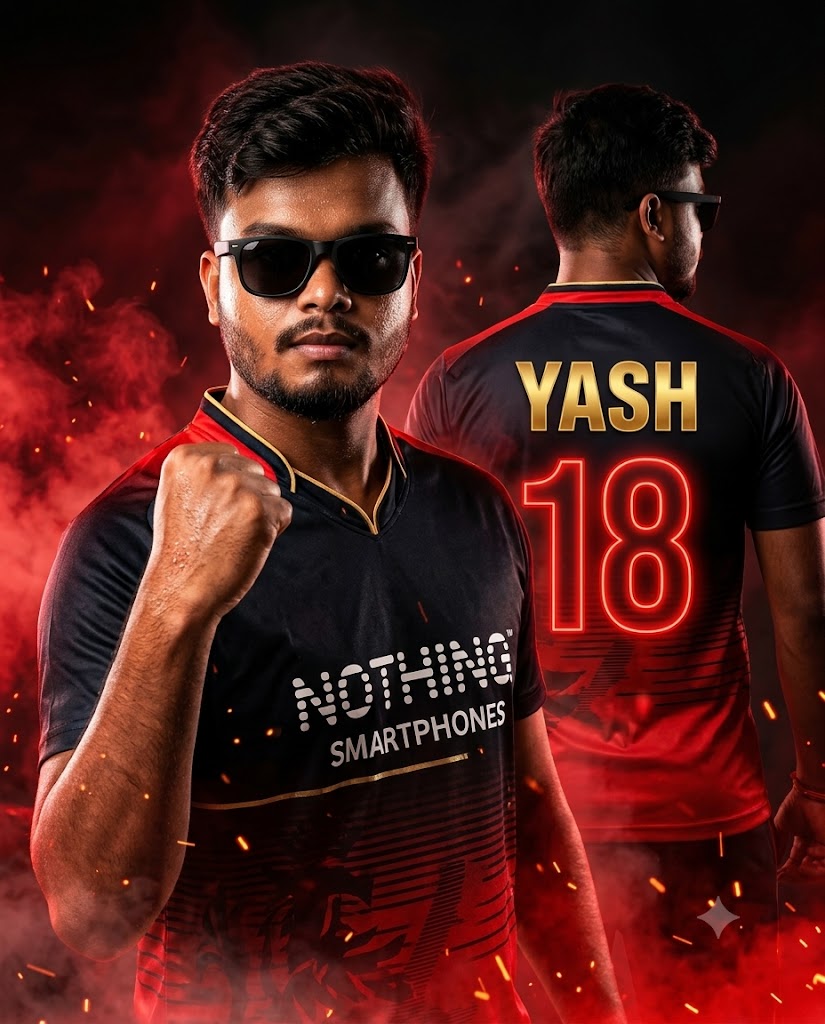
The Indian Premier League (IPL) isn’t just a cricket tournament; it’s an absolute emotion! If you are a die-hard Royal Challengers Bangalore (RCB) fan or want to envision yourself as a superstar player stepping out of the pavilion, this premium AI prompt is exactly what you need. This prompt captures an intense, cinematic sports poster aesthetic—blending the fierce red and black RCB color theme with dramatic volumetric smoke, fire particles, and hyper-realistic skin textures. Featuring a dual-perspective setup (a confident front profile alongside a bold back-facing jersey shot), it delivers a high-contrast, professional-grade design that looks like an official Instagram sports poster. Let’s unlock the prompt below and elevate your social media game!
The Premium Copy Card
Read more: Create 10 IPL jersey images AI prompts: Gemini and ChatGPT
Pro-Tips Section (Hinglish)
Is prompt ko customize karke aap apna personal touch de sakte hain. Ye steps follow karein:
- Name Changes: Jersey ke peeche apna naam daalne ke liye prompt me
"Yash"ko replace karke apna khud ka naam likhein (e.g.,"Amit"ya"Rahul"). - Jersey Number:
"Huge glowing number 18"ko badal kar apna favorite lucky number daal sakte hain, jaise7ya45. - Team theme and colors: Agar aap kisi aur team ke fan hain, toh
"black and red cricket jersey inspired by RCB"aur"red and black color theme"ko change karke"blue and gold inspired by MI"ya"bright yellow inspired by CSK"likhein. - Sponsor Logo: Prompt
"Nothing Smartphones"ki jagah aap koi bhi brand name type kar sakte hain taaki poster aur zyada authentic lage.
Step-by-Step Guide (Hinglish)
Bing Image Creator Use Kaise Karein:
- Sabse pehle upar diye gaye custom block se prompt ko copy karen.
- Bing Image Creator (Copilot Designer) ki official website par jayein aur apne Microsoft account se login karein.
- Text area mein prompt paste karein aur adjustments karein (jaise apna naam aur favorite number badalna).
- Create button par click karein aur thoda wait karein. AI aapko 4 kamaal ke high-quality options generate karke dega.
- Apna favorite picture select karein aur high resolution mein download karlein!
Midjourney Use Kaise Karein:
- Apne Discord app me jayein aur Midjourney server ya personal bot chat open karein.
- Chat box mein
/imaginecommand type karein. - Hamara copy kiya hua prompt paste karein aur text errors ko reduce karne ke liye end mein parameters set karein.
- Vibe check karne ke baad enter press karein aur upscaled image ko save karein!