
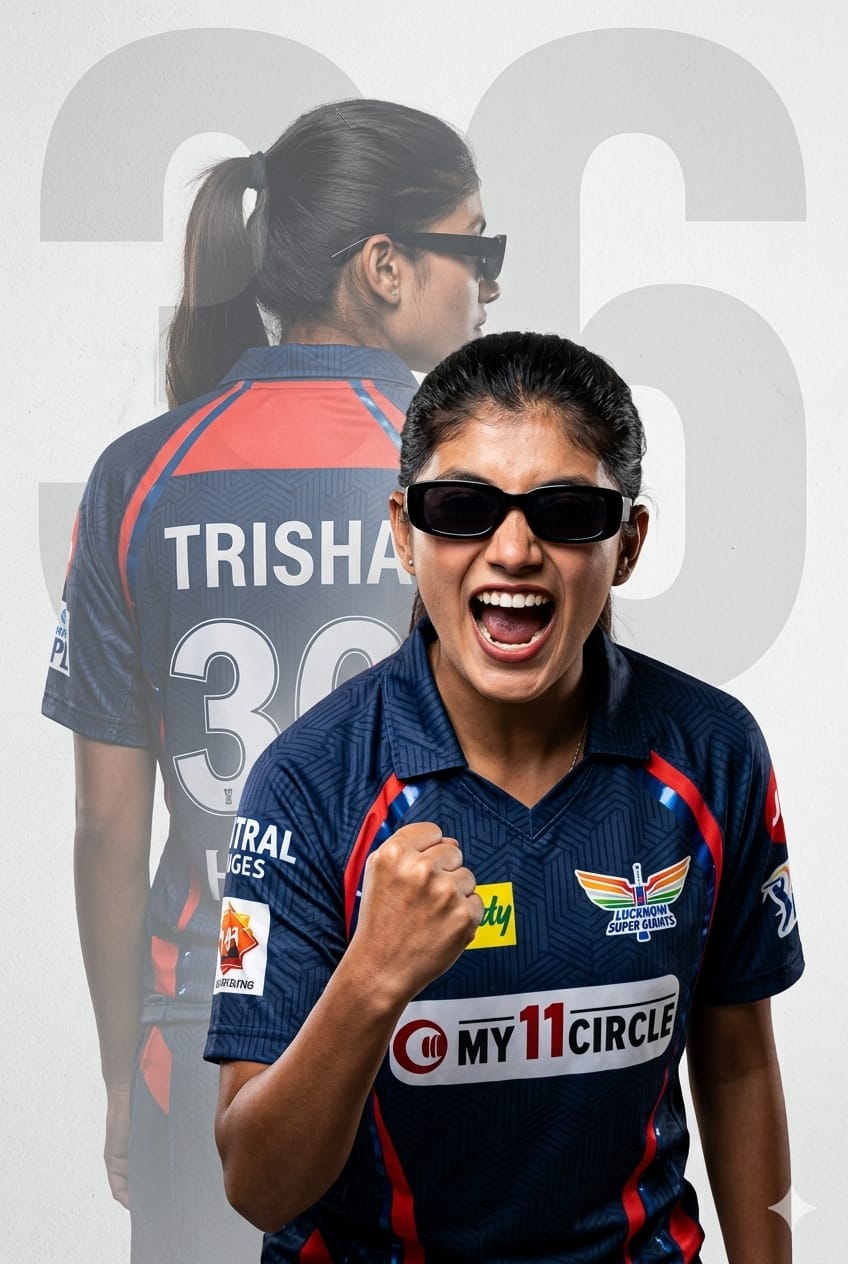
Cricket promotions have evolved, and flat graphic designs are no longer the standard for supporting your favorite team. Enter the world of hyperrealistic double-exposure sports posters. This custom AI image prompt lets you step directly into the spotlight as an elite Lucknow Super Giants (LSG) supporter. Featuring a striking dual-layer composition, it showcases an intense front-facing celebration alongside a faded background silhouette highlighting a custom name and jersey number.
With a bold quiff-style haircut, sleek rectangular sunglasses, and the modern navy blue and red LSG match-day kit, this layout captures pure stadium energy. Designed specifically for advanced image generators, it maintains a crisp, commercial-grade athletic aesthetic with textured backdrops and precise typography. It is the perfect prompt to upgrade your social media profile picture or design a striking sports background.
The Premium Copy Card
Read more: Viral LSG Fan AI Image Prompt: Lucknow Super Giants
Pro-Tips to Customize Your AI Prompt
Is prompt ko customized look dene ke liye aap isme asani se manually changes kar sakte hain. In simple tweaks ko try karein:
- Name Aur Number Badlein: Humare text me jahan
'Trisha'“aur”'36'likha hai, wahan apna name aur birthday ya favorite player ka jersey number daal dein. For example: “…displaying the name ‘Rahul’ and the number ’01.'” Remember to update the watermark number text too! - Gender Aur Appearance Modify Karein: Agar aap boy character chahte hain, toh lines badal kar “a young South Asian man with a messy textured undercut haircut and sharp stubble” use kar sakte hain.
- Team Colors & Jersey Change Karein: Agar Lucknow Super Giants ke bajaye aapko dusri team pasand hai, toh easily parameters badlein! Jaise: “Wearing a ROYAL CRITICAL / ROYAL CHALLENGERS BENGALURU jersey in deep red and metallic gold, with official team branding… ”.
- Background Customization: To give the textured light gray background a vivid or premium look, write “dark moody studio background with neon blue and red laser streaks.”
Step-by-Step Guide: How to Generate This Image
AI image tools par standard text rendering and dual-exposure rendering ke liye ye accurate procedure follow karein:
For Bing Image Creator (Best Text Quality)
- Tool Access Karein: Sabse pehle Microsoft Designer or Google Gemini or ChatGPT platform par login karein.
- Text Optimization Check Karein: Humare copy card se full text uthayein. Bing text commands ko bohot achhi tarah samajhta hai, isliye custom names ko single quotes ( ) me hi rehne dein.
- Generate & Regenerate: Press ‘Create’ karein. Double exposure images mein kai baar character blends mein variations aate hain. Agar pehli baar me exact front-back profile clean na mile, toh ek do baar dobara ‘Create’ click karein taaki perfect silhouette backdrop select ho sake.
For Midjourney Users (V6 Architecture)
- Canvas Set Karein: Discord window par jaakar prompt command active karne ke liye
/imagine promptlikhein. - Text Fine-Tuning: Midjourney v6 text rendering is kafi behtar hai. Exact graphic design frame lane ke liye main text paste karein aur custom aspect ratio define karne ke liye image frame ke last me
--ar 3:4ya--ar 9:16lagayein (taaki vertical smartphone wallpaper format mile). - Stylize Style Control: Realistic photography aura ke liye command text ke piche
--style rawswitch ka use karein. Is se dynamic contrast lighting filter auto-applied ho jayega.
1 thought on “LSG girl IPL AI prompt: Lucknow super giants”