
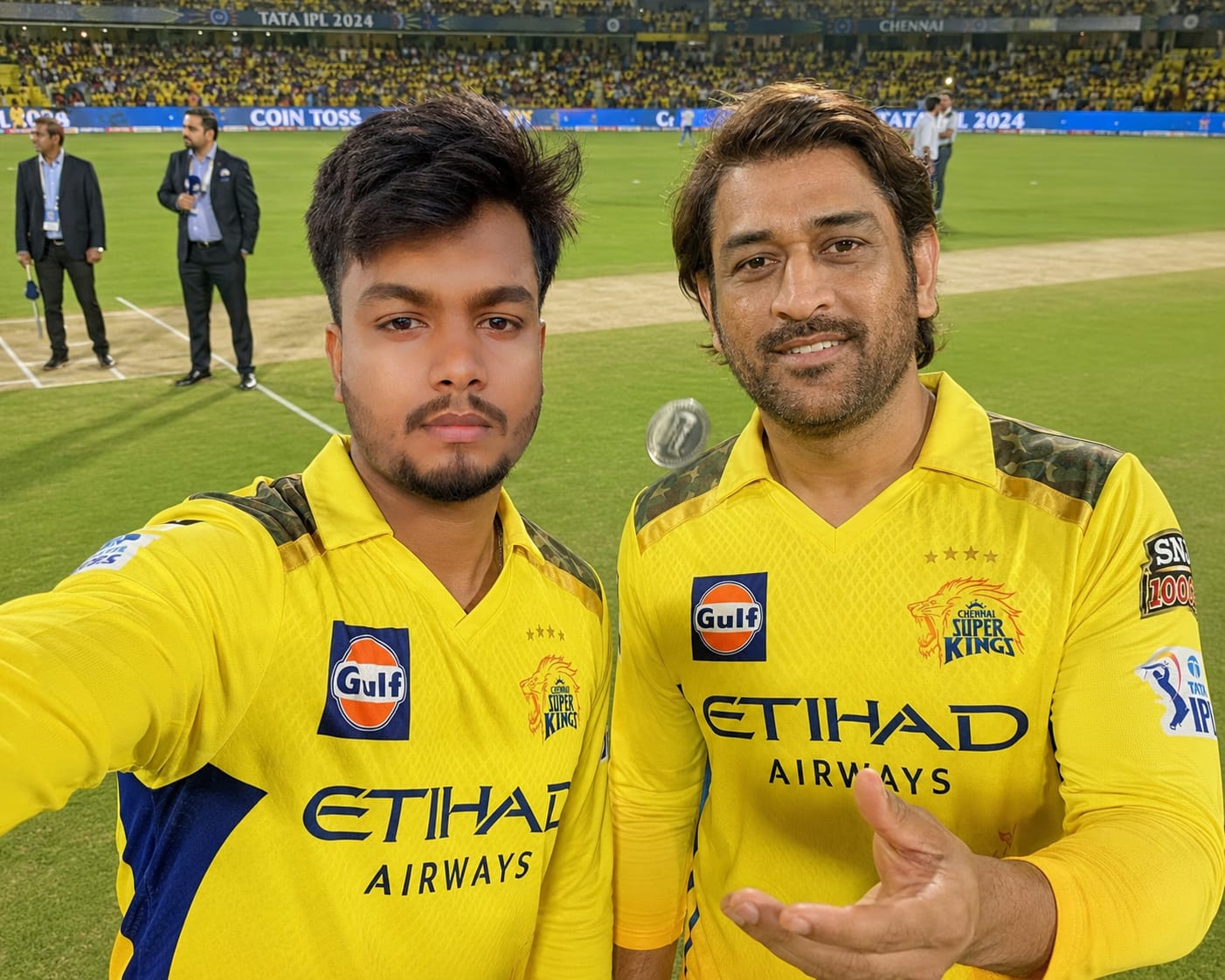
Imagine standing right at the center pitch of a packed stadium, the floodlights gleaming above, and none other than Mahendra Singh Dhoni standing right next to you for a quick match-day selfie! For millions of Chennai Super Kings fans, meeting ‘Thala’ on the field during the iconic toss ceremony is the ultimate dream. While making that happen in real life requires a lot of luck, artificial intelligence can bring this aspirational fan-meets-legend moment to life with stunning realism.
This premium AI prompt uses advanced wide-angle smartphone selfie aesthetics, cinematic HDR lighting, and precise depth-of-field details to generate an ultra-sharp, 8K professional sports photograph. Whether you want to see yourself in the official vibrant yellow CSK jersey alongside Captain Cool or create a viral piece of content for your social media handles, this prompt delivers flawless skin textures, accurate jersey stitchings, and a lively stadium atmosphere that looks 100% authentic.
The Premium Copy Card
Read more: Viral CSK Girl Fan AI Photo Prompt: Realistic Stadium Vibe, CSK flags
Pro-Tips to Customize Your AI Prompt
Aap is prompt ko thoda sa modify karke bilkul apna personalized avatar bana sakte hain. Ye rahi kuch kamal ki customization tips:
- Face Customization: Agar aap Bing Image Creator ya Midjourney v6 use kar rahe hain, toh character description me specifics add karein jaise “a 22-year-old Indian guy with a sharp jawline, short fade haircut, and light stubble” taaki face aapke jaisa dikhe.
- Change Jersey Name & Number: Aap apne character ki jersey par apna khud ka naam print karwa sakte hain. Prompt me to add the following: “wearing a CSK jersey with the name ‘YOUR_NAME’ and number ’18’ boldly printed on the back/front.”
- Different IPL Teams: Agar aap CSK ke bajaye kisi aur team ke fan hain, toh “Chennai Super Kings (CSK) jersey in vibrant yellow” ko change karke “Royal Challengers Bengaluru (RCB) jersey in red and midnight black” ya “Mumbai Indians (MI) blue jersey” likh sakte hain. Dhoni ki jagah aap Virat Kohli ya Rohit Sharma ka naam replace kar dein!
- Match Environment Modify Karein: Aap night match lights chahte hain toh “stadium floodlights night match view” rehne dein, aur agar evening ka realistic touch chahiye toh “golden-hour warm sunset lighting over the stadium” add kar sakte hain.
Step-by-Step Guide: How to Generate This Image
Bing Image Creator (Copilot) aur Midjourney par is prompt ko use karna bohot aasaan hai. Bas ye simple steps follow karein:
For Bing Image Creator (Free & Recommended)
- Website Par Jaayein: Sabse pehle Microsoft ChatGPT and Gemini ki official website par ya Copilot app par visit karein.
- Account Sign-in: Apne Microsoft account se log in karein agar pehle se nahi kiya hai.
- Prompt Paste Karein: Upar diye gaye premium card se prompt copy karein aur generator box me paste kar dein.
- Changes Karein: Pro-tips ko padh kar apna name aur details customize karein.
- Generate Button Par Click Karein: Create a button par click karein and wait 10-15 seconds. Aapke saamne 4 kamaal ki hyper-realistic high-resolution images aa jayengi! Download par click karke save kar lein.
For Midjourney Users
- Discord Open Karein: Go to your Midjourney Discord server or personal bot chat window.
- Command Type Karein: Chat box me
/imaginetype karein aur prompt container active karein. - Prompt Copy-Paste: Humara copy kiya hua prompt paste karein aur text ke end me
--ar 4:3 --v 6.0add karein (jis se perfect wide sports camera angle landscape aspect ratio milega). - Face Swap (Optional): Realistic output aane ke baad, aap InsightFace Swap bot ka use karke generated character ke face par apni actual photo ka face smooth tarike se blend kar sakte hain.